Picture this: your team ships a minor UI update, maybe just a button style change, and suddenly a dozen automated tests are bleeding red. The entire sprint grinds to a halt while engineers dive back in, not to build new features, but to perform tedious script repairs. It’s a chronic headache for development teams everywhere.
Browser automation AI is the modern answer to this old problem. It works by using intelligent agents that can understand plain English instructions and interact with your website just as a person would. This fundamentally changes the game, making your test automation far more resilient, intuitive, and accessible to everyone on your team.
The End of Brittle Tests
Let's be honest, traditional test automation has a massive weak spot: it's incredibly fragile. Scripts built with popular frameworks like Cypress or Playwright depend on rigid selectors—things like specific CSS classes or element IDs—to find and click on things. The moment a developer refactors a form's structure or tweaks a button's ID, those scripts instantly break. It kicks off a frustrating cycle of failures and fixes that nobody has time for.
Think of a conventional test script like a train running on a fixed track. It’s efficient, as long as every single piece of the track is perfectly aligned. But if just one rail shifts, even slightly, the whole system comes to a screeching halt. This brittleness creates a huge maintenance overhead, slows down development, and can even make teams scared to update their own UI.
A Smarter Way to Automate
Browser automation AI takes a completely different path. Instead of that fragile train track, imagine you have an intelligent, all-terrain vehicle. You don't give it a step-by-step map; you just tell it the destination. It figures out the best way to get there on its own, easily navigating around small obstacles or changes in the terrain.
This is exactly how the technology works. AI agents are trained to understand your goals from simple, plain English instructions. So, instead of writing code to find a specific element with id="submit-button", you just tell the agent to "Click the 'Sign Up' button." The AI uses a mix of visual analysis and contextual understanding to find the right button, even if its underlying code has been completely changed.
This shift from telling the system how to do something (code) to simply stating what you want to achieve (intent) is the core advantage of AI-driven automation. It allows your tests to focus on actual user outcomes, not the nitty-gritty implementation details, which is what makes them so much more reliable.
This capability is a massive unlock for fast-moving teams. You can innovate and ship updates without the constant fear of breaking your entire test suite.
The key benefits really stack up:
- Reduced Maintenance: AI agents adapt to minor UI changes on the fly, meaning you spend far less time fixing broken tests and more time building.
- Increased Speed: Teams can ship updates faster and with more confidence, knowing their critical user journeys are properly covered.
- Broader Collaboration: Quality assurance is no longer siloed. Non-technical team members can easily write and understand tests, bringing more people into the quality process.
By embracing browser automation AI, you can finally break free from the endless cycle of brittle tests. It helps build a more resilient, efficient, and collaborative way of working. To dive deeper into how this works under the hood, you can explore the concepts behind agentic test automation in our detailed guide.
How AI Radically Differs from Traditional Test Frameworks
To really get what a big deal browser automation AI is, it helps to put it side-by-side with the tools most teams are using right now—think Cypress, Playwright, or even old-school Selenium. They both want to get the same job done: automate browser actions. But that's where the similarities end. Their core philosophies and how you actually use them are worlds apart. It's less of an upgrade and more of a total mindset shift in how we approach automated testing.
Traditional frameworks are all about code. An engineer has to write super-specific, step-by-step instructions telling the browser exactly what to do. This means hunting down stable locators, like CSS selectors or XPath, to pinpoint elements on a page. The problem? If a developer changes anything about that element's code, even something minor, the test shatters because its hardcoded map is suddenly wrong.
AI automation, on the other hand, is driven by intent. You don't give it a rigid script. Instead, you just describe what you want to happen in plain English. The AI agent then uses its understanding of how websites work to figure out the best way to get it done. This shifts the focus from the nitty-gritty technical details to actual user behaviour, which is what we really care about testing anyway.
Test Creation and Maintenance
With the old guard of frameworks, building a test is a coding task. A QA engineer needs to dive into the webpage's DOM, find reliable selectors, and then write a script in something like JavaScript or Python. It can be a slow process and often creates a bottleneck, since only people who can code can write or fix the tests.
And maintenance? That’s an even bigger headache. Any time a developer changes a button’s ID or refactors a form, someone has to trudge back through the test suite and manually update every script that touched those old selectors. This constant "test fixing" eats up a massive amount of time that could be spent building new features.
Browser automation AI completely flips this around.
- Creation in Plain English: Anyone on the team can write a test. A product manager, a designer, a manual tester—they can all just describe a user journey, like "Go to the login page, type in the right details, and check that the dashboard loads."
- Self-Healing Tests: The AI isn't chained to brittle selectors. It understands context. So if a button’s ID is different but the text still says “Submit,” the AI agent is smart enough to find it. This slashes maintenance time dramatically.
This diagram shows just how simple the flow becomes, moving from a basic instruction to a final validation.
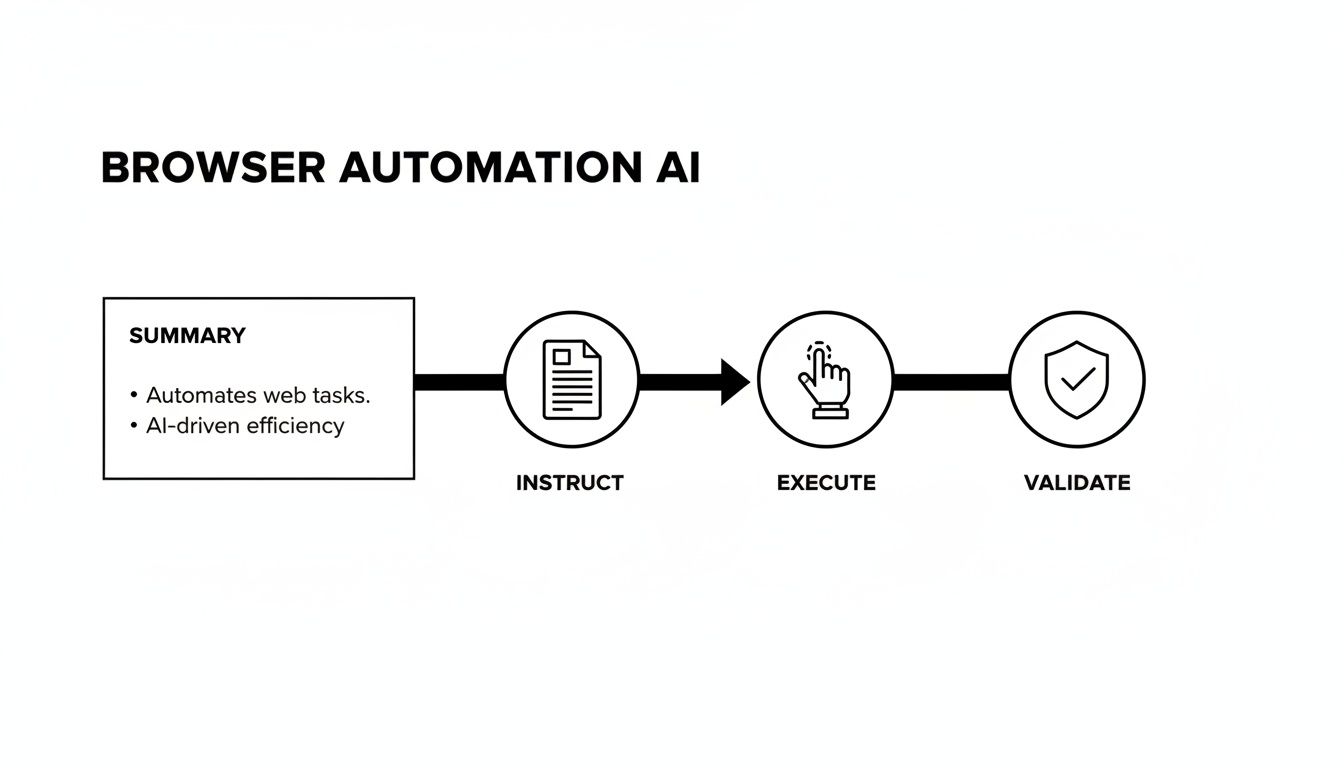
The key takeaway is the jump from complex, fragile code to simple, human-readable instructions.
To make this distinction crystal clear, let's break it down.
AI Automation vs Traditional Frameworks: A Head-to-Head Comparison
The table below really highlights the fundamental differences in how these two approaches handle the challenges of modern web testing. It's not just about speed; it's about resilience, accessibility, and where your team spends its most valuable time.
| Aspect | Browser Automation AI | Traditional Frameworks (Cypress, Playwright) |
|---|---|---|
| Test Creation | Plain English instructions (e.g., "Click the 'Sign Up' button"). | Requires coding in JavaScript/Python using specific selectors. |
| Skill Requirement | Anyone on the team can contribute. | Needs specialised QA engineers or developers with coding skills. |
| Maintenance | Self-healing. Adapts to UI changes (e.g., new button ID) automatically. | Brittle. Tests break on minor UI code changes, requiring manual fixes. |
| Resilience | Handles dynamic content and asynchronous loads naturally. | Needs explicit 'wait' commands and can be flaky with dynamic UIs. |
| Focus | User intent and business outcomes. | Technical implementation and DOM structure. |
Looking at this, it's easy to see how the two paths diverge. One keeps you tied to the code, constantly patching things up, while the other lets you focus on the user experience.
Resilience in Modern Web Applications
Today's web apps are anything but static. Content loads on the fly, A/B tests swap out entire layouts, and third-party scripts can throw unexpected pop-ups into the mix. Traditional scripts often fall apart in these situations because they’re built for a predictable, stable environment. They need explicit "wait" commands, which can either slow tests down to a crawl or, worse, cause them to fail for no good reason.
AI agents are different because they operate more like a person would. They can visually see the screen and wait for the right conditions to be met—like a loading spinner vanishing or a success message appearing. This built-in adaptability makes AI-driven tests far more reliable when faced with the organised chaos of a modern web application.
The Australian software testing market is set to hit USD 1.7 billion by 2029, growing at 12.3% over the next four years, largely thanks to AI finding its way into testing workflows. QA leads are finding that AI agents cut down maintenance time by easily handling dynamic elements that trip up static scripts.
This shift is a game-changer for teams wanting to ship faster without letting quality slide. To dig deeper into this, check out our guide on the benefits of E2E testing with AI.
Understanding the Core AI Automation Components
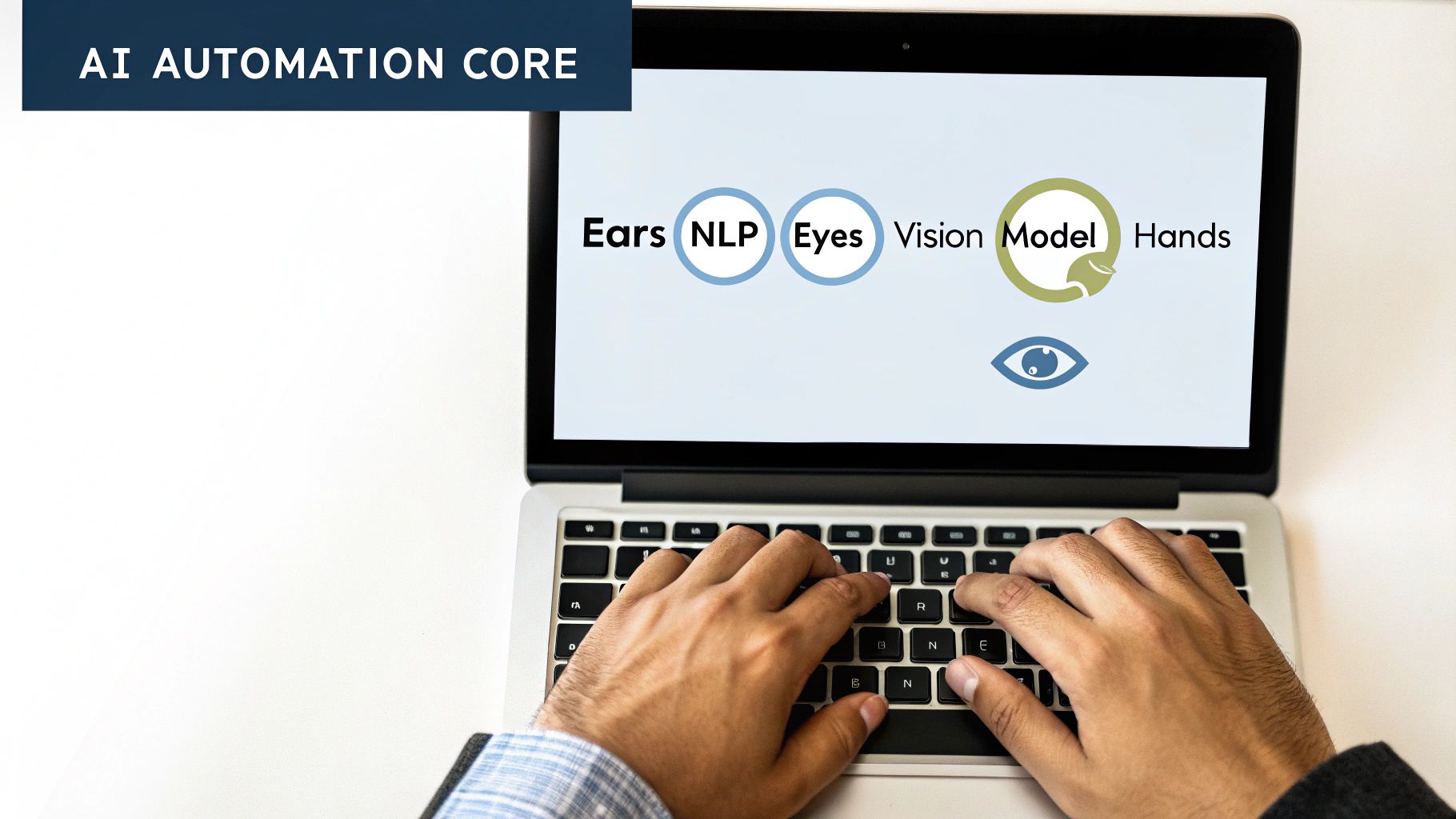
So, how does all this actually work? It's not magic, but a clever blend of specialised AI models working together. To really get what makes browser automation AI so effective, it pays to lift the bonnet and see the key systems that make it tick.
The easiest way to think about it is to imagine an AI agent having the same senses a human tester does. It needs to listen to instructions, see what's on the screen, and then use its hands to interact with the page. Each of these jobs is handled by a different component, all working in sync to carry out your commands.
The whole process builds on itself, starting with your plain English instruction and ending with a precise action in the browser.
The NLP Engine: The Ears
First up is the Natural Language Processing (NLP) Engine. Think of this as the agent's "ears." Its whole purpose is to take your simple, human-language instruction—something like, "Find the cheapest coffee maker on the page"—and turn it into a structured command the rest of the system can act on.
This is where it all begins. An NLP model doesn't just scan for keywords; it actually understands the intent behind what you've written. It figures out the action ("find"), the target ("coffee maker"), and the specific condition ("cheapest"). It's a critical first step that turns a simple request into a concrete plan for the AI.
The Vision Model: The Eyes
Once the NLP engine has a plan, it passes it off to the Vision Model. These are the AI's "eyes." Using sophisticated computer vision, this model scans a screenshot of the current web page and identifies all the visible elements, just like a person would.
It doesn't care about the underlying HTML code. Instead, it sees buttons, text fields, images, and links based on how they look and where they are on the screen. The vision model can locate the "coffee maker" products by recognising their images and reading their text descriptions, seeing the page exactly as a user would.
This visual-first approach is the secret to the system's resilience. Because it identifies elements by their appearance and position, it doesn't break when minor code changes happen—the kind of changes that would instantly derail a traditional, selector-based script.
The Execution Agent: The Hands
Finally, with the command understood and the target located, the Execution Agent steps in. These are the AI's "hands." It’s the part that performs the actual browser actions, like clicking, typing, or scrolling. Guided by what the vision model has found, it will execute the command precisely, such as clicking on the item with the lowest price tag.
This combination creates an automation system that's both robust and adaptable. For Australian teams, this means shipping new features and fixes much faster. The AI can handle browser quirks across different devices using cloud platforms, cutting down on rework. With some companies seeing organic traffic growth of 186% in six months from their AI strategies, teams using browser automation AI aren't just testing—they're building for the future. You can find out more about AU marketing automation trends and their impacts and how they're shaping the industry.
Practical Use Cases for Fast-Moving Teams

Theory is great, but the real value of browser automation AI comes alive when you apply it to the daily grind of a startup or a small team. It’s not just about squashing bugs. It’s about being able to move faster, ship new features confidently, and claw back your team’s most precious resource: time.
What really makes this technology click is its simplicity. When your tests are written in plain English, quality assurance is no longer walled off in the engineering department. Anyone on the team can contribute, helping to build a safety net that guards your core user experiences without putting the brakes on innovation.
Let’s look at a few real-world situations where this kind of automation provides an immediate payoff.
Automating a New SaaS Sign-Up Flow
Picture this: your startup is about to launch a killer new feature, but it’s sitting behind a registration wall. That sign-up flow is your first handshake with a new user—it has to be perfect. Instead of having someone manually click through it after every single code change, you can automate the whole thing with one simple instruction.
A plain-English test might be as straightforward as this:
- Given I'm on the homepage
- When I click the "Sign Up for Free" button
- And I fill out the form with a valid email and a strong password
- Then I should see a "Welcome!" message on my new dashboard
This simple test covers the entire journey, from that first click all the way to a successful account creation. An AI agent runs through these steps, visually checking each outcome, making sure this critical funnel is never broken.
Validating a Multi-Step E-commerce Checkout
If you run an e-commerce store, the checkout process is where the money is made. Even a small bug here can have a massive impact on your bottom line. Traditional test scripts for checkouts are famously fragile; they break at the first sign of a dynamic shipping option or a third-party payment pop-up.
With browser automation AI, the instructions are built around what a user does, not the underlying code structure.
This focus on the user journey makes the tests incredibly resilient. The AI agent interacts with the page just like a customer would, navigating dynamic elements and pop-ups without needing a rigid, pre-programmed script. It can handle the often-unpredictable nature of a modern checkout flow without skipping a beat.
Think about a test like this:
- Navigate to a product page and click "Add to Cart".
- Go to the cart and check that the correct item and price are displayed.
- Proceed to checkout and fill in the shipping details.
- Confirm the final order summary is correct before the payment step.
A simple workflow like this ensures your customers can always give you their money, protecting your revenue stream 24/7.
Running Regression Tests on Core Journeys
Every fast-moving team shares a common fear: the dreaded regression bug. This is when a new update accidentally breaks a feature that was working perfectly fine before. For a small team, manually re-testing every core function before each deployment is a non-starter—it’s just not sustainable.
This is where AI automation becomes an essential part of your CI/CD pipeline. Before any new code gets merged, you can automatically trigger a suite of plain-English tests that cover your app's most important user journeys.
- User Login and Authentication: Can people still log in and out without any trouble?
- Core Feature Interaction: Does the main "create project" or "upload file" feature still work as expected?
- Settings and Profile Management: Can users update their account details without seeing an error?
By automating these checks, you build a powerful quality gate. Your team gets immediate feedback, catching regressions long before they ever see the light of day. This gives everyone the confidence to ship new things without worrying about what they might be breaking.
Integrating AI Automation into Your CI/CD Pipeline
True browser automation AI doesn't just sit on the sidelines; it needs to be part of your core development engine. This is where integrating it into your Continuous Integration and Continuous Deployment (CI/CD) pipeline comes in. When you connect these two, you turn a simple testing tool into an automated quality gatekeeper that actively protects your production environment.
Imagine this: every time a developer pushes a new piece of code, a whole suite of intelligent tests kicks off automatically, running through real user journeys. This isn't some futuristic idea—it's what modern tools make possible today. By linking your AI automation platform to tools like GitHub Actions, GitLab CI, or Jenkins, quality assurance becomes a built-in part of how you build software, not just a final step before release.
This kind of setup means your team can catch bugs and regressions the instant they happen. Instead of finding a show-stopping issue days later during a manual QA cycle, developers get feedback right away, directly within their workflow. It creates a tight, immediate feedback loop that helps everyone move faster and with more confidence.
From Manual Checks to Automated Confidence
The biggest win here is shifting quality control "left" – in other words, handling it much earlier in the development process. When tests run on every single push or merge request, you stop bad code from ever making it into your main branch, let alone out to your customers.
This proactive stance creates a fantastic ripple effect across the team:
- Fewer Production Bugs: You find problems when they're small and easy to fix, which drastically cuts down on issues that users actually see.
- Increased Developer Velocity: Engineers can merge and ship their work with confidence, knowing there's a solid safety net in place to catch mistakes.
- Reduced Manual Effort: This frees up your QA team from the grind of repetitive regression checks, letting them focus on deeper exploratory testing and other high-impact quality work.
For teams that need to ship features quickly, this brings the kind of efficiency boosts seen in other industries. Some studies have shown teams seeing 73% faster execution on AI-driven projects, with 67% of workers reporting less burnout. In places like Western Australia, the market's 9.2% CAGR points to just how much demand there is for reliable SaaS verification. You can find more details on the Australian process automation market and its growth.
Making It a Seamless Part of Your Workflow
Getting this set up is usually pretty straightforward. Most browser automation AI tools give you a simple way to kick off test runs with an API call or a command-line interface (CLI) command. This makes it easy to add a few lines of script to your pipeline's configuration file and get things running.
The goal is to make testing an invisible, indispensable part of shipping software. When your CI/CD pipeline and AI test agent work together, you build a resilient system that lets your team innovate quickly without breaking the things that matter most to your users.
This automated validation becomes the bedrock for shipping software quickly and reliably. It's about more than just running tests; it’s about building a culture of quality where everyone on the team feels empowered to deliver great work. To dive deeper into this, check out our guide on approaches to automated software testing.
Got Questions About AI Browser Automation? We've Got Answers
Whenever a new piece of tech comes along, it's natural to have questions. It’s smart to be sceptical. With browser automation AI, teams usually want to know if it's genuinely reliable in the real world and how it will slot into the way they already work. Let's get straight into the most common questions we hear, so you can see the practical side of this approach.
We’ll cover everything from how the AI deals with today’s complex, dynamic web pages to whether your non-technical team members can realistically use it. The idea is to give you the confidence you need to decide if it's the right move for your team.
How Does the AI Deal with Dynamic Web Elements?
This is the big one. Traditional test scripts rely on brittle selectors, like CSS IDs or XPaths. The second a developer refactors some code, those scripts break, and your tests turn red. It's a maintenance nightmare.
AI takes a completely different path. It uses a combination of visual analysis and contextual understanding, much like a human tester would.
An AI agent isn't just looking for an ID like id="btn-submit-123". It's looking for a button that says 'Submit' and sits at the bottom of a login form. If a developer changes the button's code but its look and purpose are the same, the AI can still find it and click it. This 'self-healing' ability is what slashes the time teams spend just fixing broken tests.
Can My Non-Technical Team Members Actually Use This?
Absolutely, and this is where it gets really powerful. Since tests are written in plain English, the barrier to entry is practically non-existent. Manual testers, product managers, even business analysts can write and—just as importantly—understand the automated tests.
This completely changes the dynamic of quality assurance. It means the people who know the product and the user best can directly contribute to building a solid test suite. They don't need to get bogged down learning a complex programming language or framework first.
Your entire team can own quality, not just the engineers.
Will AI Tests Run on Different Browsers?
Yes. Modern browser automation AI platforms are built for the real world, where your users are coming from a messy mix of devices and browsers. They achieve this by plugging into cloud-based testing grids like BrowserStack or Sauce Labs.
This integration lets you run your simple, plain-English tests across a huge matrix of environments:
- Different browsers: Chrome, Firefox, Safari, and Edge.
- Various operating systems: Windows, macOS, and Linux.
- Mobile device emulators: Simulating iPhones, Androids, and tablets.
You can write one test and see how it behaves everywhere your users are, without having to manage any of the complicated infrastructure yourself. It’s the fastest way to get comprehensive coverage with the least amount of hassle.
What About Handling Complex Scenarios?
AI agents are designed to handle real-world complexity without falling over. For tricky situations like authentication, you can securely pass in credentials as variables. When it comes to asynchronous actions—like waiting for data to load from an API—the AI avoids using fragile, fixed-time waits (e.g., wait(5000)).
Instead, it intelligently waits for the actual condition to be met on the screen, like a 'Success!' message popping up or a loading spinner disappearing. This makes tests far more reliable and less likely to fail for random, flaky reasons that plague so many traditional automation scripts.
Ready to stop wasting time maintaining brittle test scripts? With e2eAgent.io, you can just describe your test scenarios in plain English and let our AI agent handle the rest. Discover a smarter way to automate your testing.