Picture this: you have a tireless assistant who, every single time your team pushes new code, meticulously checks every critical part of your app to make sure nothing has broken. That's the essence of automated software testing. It’s about using specialised tools to run predefined tests on your software, automatically.
Why Automated Software Testing Matters
At its core, automated software testing is the practice of letting software check other software. Instead of a human manually clicking through your application to verify features, a script does it for them. Think of it as a safety net woven directly into your development cycle.
This isn't about making human testers redundant. Far from it. The goal is to free them up from the repetitive, mind-numbing tasks. By automating the predictable checks, you empower your team to focus on what people do best: exploratory testing, creative problem-solving, and truly understanding the user experience.
For a small team or a growing startup, this is a massive advantage. It means you can ship new features confidently without the constant fear of accidentally breaking something else. This process—checking that new code hasn't created new problems in existing features—is called regression testing, and it's one of the main reasons teams turn to automation.
The Core Benefits of Automation
Bringing automation into your testing workflow isn't just about finding bugs faster. It fundamentally improves how your team builds and delivers software, leading to some serious wins for both your internal team and your customers.
Here are the key benefits you can expect:
- Massive Speed and Efficiency Gains: Automated tests can execute thousands of checks in the time it would take a manual tester to get through a handful. This rapid feedback loop helps developers find and squash bugs almost immediately.
- Wider Test Coverage: It's often impossible for a person to manually test every feature across dozens of browser and device combinations. With automation, you can run a much broader range of tests, catching obscure bugs you might otherwise miss.
- Rock-Solid Accuracy: Humans get tired and make mistakes, especially with repetitive tasks. An automated test performs the exact same steps every single time, removing human error and giving you results you can trust.
- Happier, More Engaged Team: Nobody enjoys mind-numbing, repetitive work. Offloading these tasks lets your team focus on more interesting, high-impact challenges, which is a huge boost for morale and job satisfaction.
Ultimately, automated software testing is about building confidence. It gives you a systematic way to prove your application works as intended after every single change, letting you release updates more often and with far less risk.
This guide will walk you through everything you need to know to get started. We’ll break down the different kinds of tests, help you build a smart strategy from the ground up, and show you how modern tools can help you sidestep the common pitfalls of automation.
Understanding The Different Types Of Automated Tests
Stepping into the world of automated testing can feel a bit overwhelming at first. There are a few key types of tests, and knowing what each one does—and when to use it—is the foundation of a solid testing strategy. Not all tests are the same, and they each play a unique role.
To make sense of it all, we often use an idea called the testing pyramid.
Think of it like building a house. You start with a wide, solid foundation before you put up the walls and, finally, the roof. Each layer supports the one above it. Automated testing works in a very similar way, with different types of tests forming the layers of your quality assurance structure.
This hierarchy shows how each level of testing builds on the last, giving your team the power and confidence to ship great software.
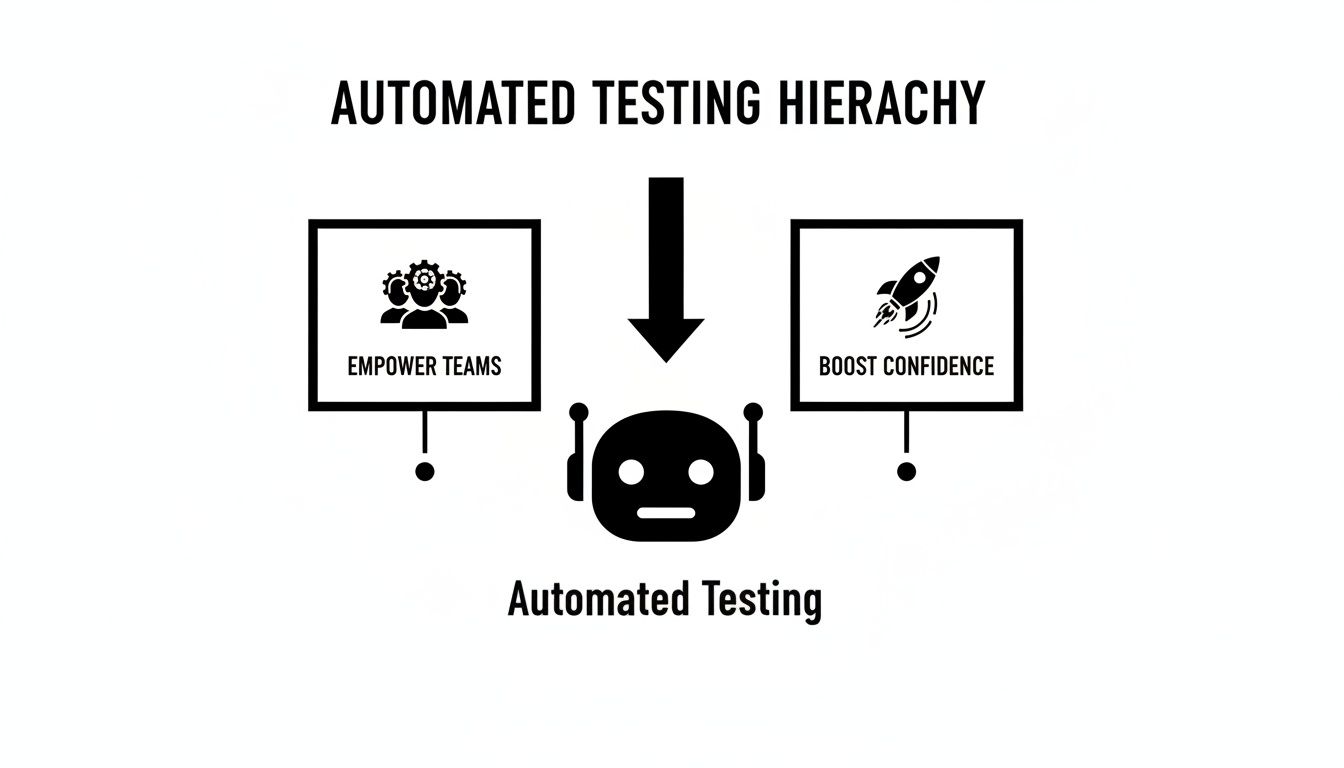
A well-structured pyramid means you can move faster and release new features without the constant fear of breaking something.
Unit Tests: The Foundation Of Quality
At the very bottom of the pyramid, forming that wide, sturdy base, are unit tests. These are small, laser-focused tests that check the tiniest building blocks of your code in complete isolation.
Imagine a single function in your code that calculates a user's age from their date of birth. A unit test would simply confirm that this one function returns the correct number, every single time. It doesn't care about the database, the user interface, or anything else.
Because they are so focused, unit tests are incredibly fast. A team can have thousands of them, and they can all run in just a few minutes. This gives developers almost instant feedback, letting them know if a recent change has caused a problem before the code even gets checked in.
A strong foundation of unit tests is non-negotiable for a healthy testing strategy. They catch bugs at the earliest possible moment, cost very little to run and maintain, and give your developers real confidence in the logic of their code.
Integration Tests: Connecting The Pieces
Moving one level up the pyramid, we have integration tests. While unit tests look at individual components in a vacuum, integration tests are all about making sure those components work correctly together.
For example, does your signup form successfully talk to the database to store the new user's details? An integration test verifies that connection. It might also check if your app can pull data from an external API or if different internal services are passing information back and forth as you'd expect.
These tests are a bit slower and more complex than unit tests because they need multiple parts of your system to be running. As a result, you'll naturally have fewer of them.
End-to-End Tests: The User's Perspective
Right at the peak of the pyramid sit end-to-end (E2E) tests. These tests are the ultimate reality check, as they simulate a complete user journey through your application from start to finish, just as a real person would.
An E2E test for an e-commerce website might look something like this:
- Fire up a real browser and load the homepage.
- Use the search bar to find a specific product.
- Click 'Add to Cart'.
- Navigate through the entire checkout process to finalise the purchase.
These tests give you the highest possible confidence that your entire system is working in harmony to deliver value to your users. However, they come with a trade-off. E2E tests are the slowest, most complex, and often the most fragile type of automated test. Because they touch so many parts of the application, even a small change to the user interface can cause them to fail.
This is exactly why the pyramid model recommends having only a small number of them, reserved for your most critical user workflows. You can dive deeper into this topic in our detailed guide on end-to-end testing strategies.
A balanced pyramid—a wide base of unit tests, a medium-sized layer of integration tests, and a very small number of E2E tests at the top—is the secret to a fast, reliable, and sustainable testing strategy.
Why Small Teams Can No Longer Afford To Skip Automation
For a small team, every minute counts. The pressure is always on to build, innovate, and ship features faster than the competition. In this kind of high-stakes environment, it's tempting to think of automated software testing as a luxury—something you’ll get to "later" when there's more time or a bigger budget.
That’s a critical mistake. For a modern small team, automation isn’t just another expense; it's a strategic investment that pays for itself many times over. It’s the engine that lets you scale quality as your business grows, making sure that moving fast doesn’t mean breaking things.
The real cost of skipping automation isn’t just about money. It’s paid in late nights fixing avoidable bugs, delayed feature releases, and the slow, painful erosion of customer trust. Manual regression testing—where someone has to click through the entire app after every tiny change—isn't just slow. It's completely unsustainable for a team that needs to be agile.
Go Beyond Catching Bugs
The true value here is much bigger than just finding defects. Automated testing reshapes your entire development process and delivers real advantages that give you an edge. When you automate all those repetitive checks, you’re not just saving time; you're building a more resilient, efficient, and motivated team.
Think about these core benefits:
- Accelerated Development Cycles: Automation gives you almost instant feedback. Instead of waiting hours or even days for a manual QA sign-off, developers know within minutes if their changes broke something, so they can fix it on the spot.
- Boosted Developer Morale: Nothing kills productivity and morale quite like mind-numbing, repetitive tasks. Automating these checks frees up your talented engineers to focus on what they do best: solving tough problems and building cool new features.
- Increased Customer Trust: Every bug that gets into production chips away at your reputation. A solid automation suite acts as a quality gatekeeper, ensuring your product is more stable and reliable—which is the foundation of customer loyalty.
For small teams, automated software testing is a force multiplier. It allows a handful of developers to achieve the same level of quality and output that would otherwise require a much larger team, creating a significant competitive edge.
The impact on efficiency is huge. In Australia, for instance, bringing in automated testing can cut testing time by 40%. On top of that, moving to cloud-based testing solutions can slash infrastructure expenses by a massive 60-70%. You can find out more about these ANZ software testing market trends on technavio.com.
The Real-World Impact Of A Single Automated Test
Let’s get practical. Imagine your team is launching a new checkout flow for your e-commerce app. A developer makes a small change to a shared component, not realising it has a knock-on effect on the payment processing module. Without an automated test covering this critical user journey, the bug slips through completely unnoticed.
The feature goes live. Suddenly, customers can't complete their purchases. Sales grind to a halt, support tickets flood in, and your team is left scrambling to find and fix the problem while your brand's credibility takes a nosedive.
Now, picture that exact same scenario, but with one simple end-to-end test in place. The moment the developer pushes their code, the automated test runs. It simulates a user adding an item to their cart and trying to pay. The test fails instantly, blocking the faulty code from ever getting to production. The disaster is averted in minutes, not hours.
This is the power of a proactive quality strategy, and modern tools are making it more accessible than ever. Our guide on AI-based test automation explores how new approaches are simplifying this process even further.
How to Build Your First Automated Testing Strategy
Jumping into automated software testing can feel overwhelming, but it really doesn't have to be. The secret isn't to try and automate everything all at once. It’s about starting small and being clever about it. Think of this as your practical playbook for building a testing strategy from scratch, focusing on getting quick wins and setting yourself up for long-term success.

The best way to start is with the 80/20 rule. Your goal is to pinpoint the 20% of your application's user flows that deliver 80% of the value to your customers. These are the critical paths—the absolute deal-breakers you can't afford to have fail.
By aiming your first automation efforts at these high-impact areas, you get the biggest bang for your buck. You're essentially building a reliable safety net where it counts the most. This helps your team build confidence in the process without getting bogged down in the small stuff. It’s all about progress, not perfection.
Identify Your Most Critical User Journeys
Before you write a single line of test code, you need to figure out what to test. Get your team together and brainstorm the user flows that are non-negotiable for your business. What are the "happy paths" a user takes to get things done in your app?
Your list of critical journeys will likely include things like:
- User Signup and Login: This is the front door. If users can't get in, nothing else matters.
- Core Feature Usage: The main reason people use your app, like creating a project or sending a message.
- Checkout and Payment Process: For any e-commerce or SaaS product, this is a direct line to your revenue. It has to work flawlessly.
- Password Reset Flow: A vital path for keeping users and helping them regain access when they're stuck.
To begin, just pick three to five of these key flows. Write down the exact steps a user would follow for each one. This simple list becomes the blueprint for your entire automated testing strategy, giving you a clear and manageable place to start.
Select The Right Tools For Your Team
The world of automated software testing tools is huge, but you don't need the most complicated or expensive one out there. The best tool is simply the one your team will actually use. Take a look at your team's current skills and the kind of application you're building.
For instance, if your team is already comfortable with JavaScript, frameworks like Cypress or Playwright are fantastic code-based options. They’re powerful and have great communities behind them.
But let's be honest, a big hurdle with traditional automation is the steep learning curve and the constant upkeep that code-based tests demand. This is where more modern solutions are changing the game.
Tools like e2eAgent.io are built to break down that barrier. They let you write tests in plain English, which means non-technical team members can jump in and help improve quality. This approach also makes tests far more resilient to small UI changes, dramatically reducing the time you spend fixing them.
Ultimately, you need a tool that fits your team's abilities and your long-term plans. The goal is to make testing a smooth part of your workflow, not another complex system you have to wrestle with.
This strategic shift is happening everywhere. In Australia, for example, the software testing services industry is expected to be worth $832.2 million by 2026. This growth is fuelled by the demand for reliable and efficient automation, especially in critical sectors like finance and healthcare. As detailed in a report about the growth of Australian software testing services on IBISWorld, local companies are increasingly leaving old-school QA behind for the efficiencies of continuous automated testing.
Set Realistic Goals And Integrate Incrementally
Your first goal should be simple: get one critical user flow automated and running reliably. That’s it. Don't try to boil the ocean. Nailing that first test builds incredible momentum and shows the rest of the team just how valuable this work is.
Once you've got a few tests humming along, it's time to integrate them into your workflow.
- Run Tests Locally: Get developers into the habit of running the test suite on their own machines before they push any code. It’s the fastest way to catch bugs.
- Integrate with CI/CD: Hook up your tests to your Continuous Integration (CI) pipeline, whether it’s GitHub Actions, GitLab CI, or something else. This creates an automated quality gate that runs for every new commit or pull request.
- Establish a Review Process: Work out a simple process for what happens when a test fails. Who looks into it? How do you tell the difference between a real bug and a flaky test?
Start small, prove the value, and then slowly expand your automated software testing coverage over time. This step-by-step approach is what makes a testing strategy sustainable and incredibly effective in the long run.
Solving The Brittle Test Problem With Plain English
If you've spent any time with automated end-to-end (E2E) testing, you've almost certainly run into the nightmare of brittle tests. It's the number one frustration in the E2E world: you pour hours into writing a perfect test script, only for it to shatter the moment a developer pushes a small, innocent-looking change to the UI.
A button's ID gets a refresh, a label is reworded, or a CSS class is tweaked, and boom—your entire test suite lights up red. This fragility puts your team on a maintenance treadmill, where you spend more time fixing old tests than building new features. For small, agile teams, this is a massive productivity killer.
This is a classic problem with traditional, code-heavy testing frameworks like Cypress or Playwright. They’re incredibly powerful, but they depend on rigid selectors—things like IDs, class names, or XPath—to find elements on a page. When those selectors change, the script is lost. It’s like giving someone a map where all the street names are constantly changing.
A Modern Approach to Automated Software Testing
But what if there was a better way? Imagine describing a test scenario in simple, plain English, just like you would to a colleague. Instead of writing code that breaks at the slightest touch, you could just write: "Click the 'Add to Basket' button, then verify the shopping cart icon shows '1'."
This is exactly what a new wave of AI-powered testing tools is making possible. These tools shift the focus from how the code is implemented to what the user is actually trying to do.
This approach is already making waves in the industry. Here in Australia, for instance, the software testing market is being reshaped by AI and smarter automation. The latest QA trends centre on using AI to improve test automation, get better coverage, and slash maintenance costs with self-healing tests.
How Plain English Tests Work
Instead of looking for fragile selectors, an AI agent interprets your plain English instructions. It uses its understanding of web pages and user interfaces to find the right elements based on context, much like a person would. If you say, "click the login button," it doesn't need the button's specific ID; it can find the element that looks and acts like a login button.
Here’s an example from e2eAgent.io that shows just how simple this can be.

The image shows a complex user journey—a full checkout process—described with just a few readable sentences. This makes the tests not only more resilient but also understandable to everyone on the team, from developers to product managers.
This shift delivers two huge wins for small teams:
- Drastically Reduced Maintenance: When a developer changes a button's colour or ID, the AI can still find it because its purpose—"Add to Basket"—hasn't changed. The test is resilient to UI tweaks, freeing your team from the endless cycle of fixing broken tests.
- Empowerment for the Whole Team: All of a sudden, quality assurance isn't just a developer's job anymore. Product managers, designers, and even customer support staff can write or review test scenarios in a language they already know.
By focusing on user intent rather than code implementation, plain English testing creates a more collaborative and efficient approach to quality. It turns your test suite from a fragile liability into a robust, living document of how your application should behave.
This makes automated software testing far more accessible and, more importantly, sustainable. To see how AI works its magic in more detail, check out our guide on the fundamentals of E2E testing with AI. It’s a method that lets your team build a comprehensive safety net that adapts with your product, so you can ship features faster and with more confidence than ever before.
Integrating Automated Tests Into Your Daily Workflow
Having a suite of automated tests is a great start, but their true value shines when they become a seamless part of your team’s daily rhythm. The real goal is to weave automated software testing so deeply into how you build things that it feels as natural as writing the code itself. When you get this right, your tests stop being a chore and become an always-on guardian of your quality.
The best way to make this happen is to hook your tests into a Continuous Integration (CI) pipeline. Think of a CI pipeline as an automated assembly line for your code. Every time a developer pushes a change, this assembly line whirs to life, builds the software, and then runs all your automated tests against it. This creates an incredibly tight feedback loop.
Suddenly, you know almost instantly if a change has broken something. This process ensures that new code doesn’t get merged until it’s passed the checks you’ve put in place. It’s your first and best line of defence against regressions and new bugs—a tireless sentinel watching over your main codebase.
Creating A Quality Gate With Your CI Pipeline
Getting a CI pipeline up and running to execute your tests is probably more straightforward than you think. Modern platforms like GitHub Actions, GitLab CI/CD, or Jenkins make it relatively simple to set up these automated workflows. You just define a series of steps that kick off automatically with every single code change or pull request.
Here’s what a common workflow looks like in practice:
- Code Push: A developer commits their latest work to a feature branch.
- Trigger Pipeline: The CI server sees the new code and immediately starts the pipeline.
- Build Application: It builds a fresh version of your application from scratch.
- Execute Tests: The pipeline then runs your entire suite of automated tests against that new build.
- Report Results: You get the results back. If everything passes, the code is marked as safe to merge. If even one test fails, the build is blocked.
This "quality gate" is the whole point. It physically prevents broken code from moving any further, forcing the team to fix issues right away. This simple step stops tiny problems from spiralling into major headaches down the line.
By making test execution a mandatory step for every code change, you shift quality from an afterthought to a core part of the development process. It’s no longer about testing at the end; it’s about building in quality from the very beginning.
Managing Failures And Making Sense Of Results
When a test fails in your pipeline, it’s a signal—not a catastrophe. The trick is to make finding and fixing the problem as painless as possible. A good test report should pinpoint exactly which test failed, at what step, and give you logs, screenshots, or even a video to help you diagnose the issue in minutes, not hours.
It's also smart to think about which tests to run and when. For every pull request, you might just run the quick unit and integration tests to give developers fast feedback. But for deployments to a staging server, you could trigger the more comprehensive (and slower) end-to-end test suite.
This layered approach gives you the right balance of speed and confidence, delivering the right feedback at the right time. Ultimately, integrating automated testing into your daily workflow turns it from a task into a powerful habit, fostering a culture where quality is truly everyone’s responsibility.
Common Questions About Automated Software Testing
Diving into automated software testing always brings up a few practical questions. Teams often wonder what a realistic strategy looks like and, more importantly, how to sidestep the common pitfalls. Let's walk through some of the most frequent queries that pop up.
How Much of Our Testing Should We Actually Automate?
By far, the most common question is about the magic number for automation coverage. Is it 100%? It’s a tempting goal, but chasing it is almost always a mistake. Trying to automate every single edge case isn't just impractical; it's a poor use of your team's valuable time and energy.
A much smarter approach is to focus your efforts where they'll have the biggest impact. Think back to the testing pyramid: build a solid foundation with lots of fast unit tests, add a healthy layer of integration tests, and then cap it off with a select few end-to-end tests. These E2E tests should only cover your absolute most critical user journeys—the things that absolutely must work, like signing up or completing a purchase. This balanced strategy gives you the best bang for your buck.
Can My Non-Technical Team Members Write Tests?
Another big concern, especially in smaller teams, is the technical barrier to entry. Does creating and maintaining tests require serious coding skills? Traditionally, the answer was a definite yes. Frameworks like Cypress and Playwright demand that developers write and look after complex scripts, which can leave product managers and manual testers feeling left out of the process.
But that’s changing, and fast. A new wave of tools is arriving, designed specifically to tear down that wall.
When you can describe test scenarios using plain-English instructions, anyone on the team can contribute to quality. A product manager can easily write a test for a new feature in a language they already use every day, making sure the test logic perfectly matches the business requirements.
This shift turns quality assurance into a genuine team sport. Automated software testing moves from being a siloed developer task to a shared responsibility, which is a massive win for shipping reliable software without slowing down.
What Is The Biggest Mistake To Avoid?
Finally, what's the number one pitfall to steer clear of? Without a doubt, the biggest mistake is trying to automate everything at once. Teams get excited about the potential, draw up a huge plan to automate dozens of user flows from day one, and then quickly get overwhelmed.
This "big bang" approach almost always leads to burnout and a tangled, brittle test suite that nobody wants to touch. The secret is to start small and think strategically.
Instead of trying to boil the ocean, try this instead:
- Pinpoint your top 3-5 most critical user flows. These are the non-negotiable, "must-not-fail" paths in your application.
- Automate just one of them to start. Focus on getting it running reliably within your workflow.
- Demonstrate the value to the team. A single, stable test that catches a real bug is worth more than twenty flaky ones.
- Expand from there. Once you have a win, you can slowly add more tests as the team gains confidence and sees the real-world benefits.
This deliberate, step-by-step method makes sure your automated testing efforts are sustainable and start delivering value right from the beginning.
Ready to build a resilient and easy-to-maintain test suite? With e2eAgent.io, you can stop wrestling with brittle code and start writing tests in plain English. Our AI agent runs your scenarios in a real browser, cutting down maintenance and empowering your entire team to contribute to quality. Discover a smarter way to test at https://e2eagent.io.