Think of an AI agent for browser testing as a smart assistant that can understand plain English commands to test your website. It’s a complete shift away from the fragile, code-heavy scripts that always seem to break. This newer approach lets your team build robust, low-maintenance tests by simply describing what a user would do, just as if you were explaining it to a colleague.
Moving Beyond Brittle Test Scripts
If you're on an engineering team, you know the grind of traditional test automation. It’s a constant battle. You pour hours into writing precise test scripts using frameworks like Cypress or Playwright, only for them to shatter the moment a developer tweaks the UI. It feels like building a delicate house of cards that collapses every time someone refactors a component or changes a button’s class name.
This endless cycle of writing, fixing, and re-fixing eats up valuable time and slows everyone down. Instead of shipping new features, developers get stuck in a maintenance loop, just trying to keep the tests from failing. The real problem? These old-school scripts are built on rigid selectors—like CSS IDs or XPaths—which are just not built to handle a constantly evolving application.
The True Cost of Fragile Tests
This maintenance burden isn't just an annoyance; it has a real impact on the business. This is especially true in Australia's booming tech scene, where the software testing market is tipped to hit USD 1.7 billion by 2029. When you learn that test flakiness plagues 60-70% of traditional suites, you can feel the pressure from rapid release cycles. It’s no wonder teams are looking for smarter solutions. You can read more about these automation testing trends to see how local businesses are adapting.
An AI agent for browser testing offers a fundamentally different approach. It’s an intelligent system that understands your application's intent, interacting with it visually and contextually, much like a human user would.
A New Way to Think About Quality
By understanding plain-English instructions, an AI agent doesn't need to rely on those brittle code selectors at all. This simple change makes your test suite incredibly resilient to the minor UI tweaks that would normally cause a cascade of failures. Imagine being able to verify a complex user journey without writing a single line of code.
This shift empowers your entire team to get involved in quality, not just the test automation specialists. A product manager could write a test for a new feature using simple sentences. That frees up your engineers to focus on what they do best: building a great product instead of endlessly babysitting fragile tests. It’s about turning quality assurance from a technical chore into a creative, collaborative process.
How AI Agents Understand Your Web Application
So, how does an AI agent for browser testing actually figure out what to do? It’s less about complex code and more like giving simple instructions to a new team member. You wouldn’t tell them to “find the element with the CSS selector #user-email.” You’d just say, “Enter the email address in the email field.” That’s the core idea here.
These agents don’t get bogged down by the rigid, code-level selectors that make traditional tests so brittle. Instead, they use a clever, multi-layered approach to see and understand your application just like a person would. The whole process unfolds in three key stages, with a specialised AI model handling each part.
From Words to Intent
The first job is to understand what you’re asking. When you write a test step like, “Click on the ‘Add to Basket’ button for the blue t-shirt,” a Natural Language Processing (NLP) model kicks in. Its purpose is to break down your sentence and pinpoint your actual intent. It identifies the action (“click”) and the target element (“Add to Basket button” that belongs to the “blue t-shirt”).
This is essentially the brain of the operation. It translates plain English into a clear, machine-ready objective, freeing you from ever having to write or even think about selectors again.
Seeing the Screen Like a User
Once the agent knows what you want to do, it needs to figure out where to do it on the page. This is where a vision model comes into play. This model scans the visual layout of your web page, much like your own eyes would. It doesn't just read the underlying HTML; it sees the final, rendered pixels on the screen.
It spots buttons, text fields, and links based on their appearance, their labels, and where they sit in relation to everything else. This visual understanding is what makes the agent so resilient to code changes. As long as a button still looks like a button and says “Add to Basket,” the agent can find it, even if a developer has completely rewritten the component’s code.
This is what helps you escape the old, brittle cycle of test automation.
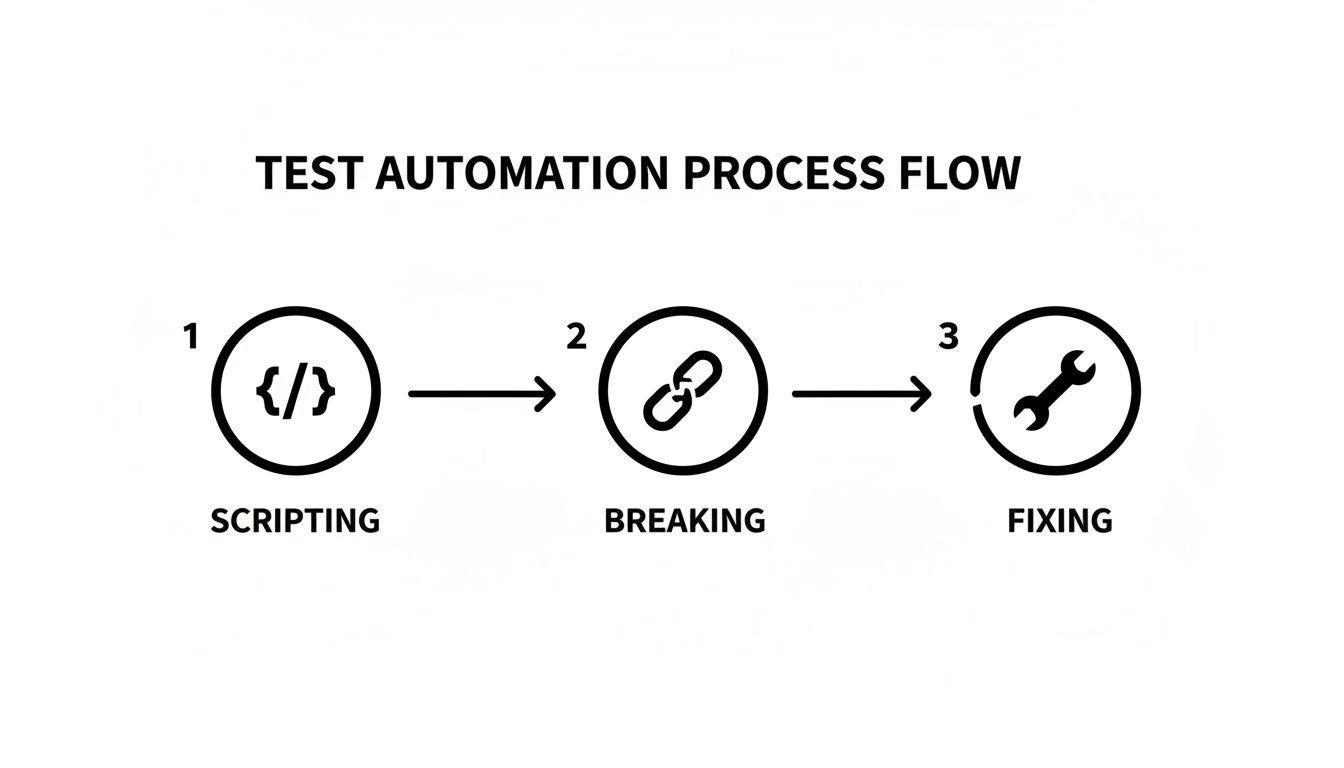
This constant loop of scripting tests, watching them break, and then spending hours fixing them is what consumes so much development time with older methods.
Taking Action in the Browser
Finally, with the intent understood and the target element located, an action model takes over. This model turns the insights from the first two stages into a concrete browser command—a precise click, a sequence of keystrokes, or a scroll action.
This entire process—from interpreting your English command to executing a click in a real browser—happens in a flash. It’s not magic, but a logical system that combines language, vision, and action to test your application with an almost human-like intuition.
Why This Is a Game-Changer for Small Teams
The real value of an AI agent for browser testing isn't just about the clever tech—it’s about getting your most valuable resources back: time and focus. For startups and small teams, this is a massive shift in how quickly you can build, test, and ship a solid product.
Think about the “testing tax” you’re probably paying right now. It’s the time your senior developers spend wrestling with brittle test scripts instead of building the features your customers actually want. AI agents help you democratise quality assurance, empowering your entire team to write solid tests without needing specialised coding skills.
Speed Up Your Product Roadmap
Imagine your product manager is speccing out a new feature. With an AI agent, they can write the test case for it in plain English right then and there. What was once a technical bottleneck becomes a collaborative part of the design process, connecting feature requirements directly to quality checks from the very beginning.
This creates a much tighter feedback loop. Your team stops wasting time on endless script maintenance and starts spending that time on innovation. It’s about moving faster without cutting corners on quality.
By automating the tedious parts of quality assurance, an AI agent gives small teams a level of testing maturity that used to be reserved for large enterprises with dedicated QA departments.
For startup founders and solo makers shipping fast, this is a lifeline. In a world where fragile tests can swallow 30-40% of development time, having an AI-validated UI can lead to an 85% lift in user engagement. This lines up with data showing businesses that adopt these kinds of innovations see a 54% improvement in their time-to-market. You can read more about how AI drives business growth on roi.com.au.
Build a CI/CD Pipeline You Can Actually Trust
For anyone in a DevOps or engineering lead role, the holy grail is a smooth, trustworthy CI/CD pipeline. Let's be honest, traditional E2E tests are often the weakest link. They’re flaky, unreliable, and a constant source of false alarms that kill momentum and erode confidence in your deployment process.
This is where self-healing tests built with an AI agent completely change the dynamic. Because the agent understands your application visually and contextually, it doesn’t break every time a developer refactors a component or changes a CSS class.
This stability leads to a pipeline you can depend on, where a test failure almost always points to a real bug. Suddenly, quality isn’t a frustrating bottleneck; it’s what enables you to ship faster. We dive deeper into this in our guide on different approaches to automated software testing. This reliability means every single commit can be validated with confidence, helping you get great software to your users without the usual drama.
Testing Real-World User Journeys
This is where an AI agent for browser testing really starts to shine: moving beyond checking a single button to testing a complete, multi-step user journey. We're talking about simulating how a real person actually uses your app, from the moment they sign up to the final checkout click, all described in simple, human language.
Let's look at how this plays out in the real world. The beauty of this approach is that you just describe what a user needs to accomplish. The AI agent is smart enough to figure out the steps, executing them in a live browser and adapting to your UI just like a person would.

To make this crystal clear, here are a few sample scenarios that show just how intuitive it is to write tests this way. Notice how the commands focus on the goal, not the technical implementation.
Sample Test Scenarios in Plain English
| User Goal | Example Plain English Command | Key Verifications |
|---|---|---|
| New User Registration | "Sign up with email '[email protected]' and password 'MySecurePass1!', then log out and log back in." | Checks that the user lands on the dashboard and their profile name is visible after logging back in. |
| Add to Cart | "Go to the 'Shoes' category, add the 'Running Pro' trainers to the cart, and proceed to checkout." | Confirms the correct item and quantity are in the cart and that the checkout page loads successfully. |
| Data Filtering | "On the projects dashboard, filter the list to show only 'Active' projects and sort by 'Last Updated'." | Verifies that all visible projects have the 'Active' status and the list order reflects the recent updates. |
These examples are just the tip of the iceberg, but they highlight how you can cover complex workflows without writing a single line of brittle code.
From Signup to Login: A SaaS Onboarding Flow
For any SaaS product, the first thing you need to get right is letting new users sign up and log in. With a traditional script, this is a minefield of CSS selectors for specific form fields and buttons—a setup that breaks the moment a designer makes a small tweak.
With an AI agent, you just tell it what to do:
"Go to the signup page. Enter '[email protected]' into the email field, 'SecurePassword123' into the password field, and click the 'Sign Up' button. Then, log out and log back in using the same credentials, and verify that the dashboard heading is visible."
The agent gets it. It understands the entire sequence, finds the right input fields based on their labels, fills in the details, clicks the button, and navigates through the whole flow to perform the final check. This one readable sentence does the job of dozens of lines of fragile, selector-based code. If you want to dig deeper into why this matters, we cover it in our guide to end-to-end testing strategies.
The E-commerce Checkout Journey
If you run an e-commerce site, the shopping cart is your moneymaker. Any bug in this process is a direct hit to your revenue. Let’s say you need to test a scenario where a customer adds multiple items to their cart.
A plain-English test for this would look something like this:
- Step 1: "Navigate to the 'T-Shirts' category page."
- Step 2: "Add the 'Blue Graphic Tee' in size Medium to the cart."
- Step 3: "Then, add two 'Black V-Neck' shirts in size Large to the cart."
- Step 4: "Go to the shopping cart and verify the subtotal is correct."
The agent handles each instruction intelligently. It moves between pages, works with product options like size selectors, updates quantities, and then reads the final subtotal to make sure the maths is right. It's a far more realistic simulation of a shopping session than a rigid, hard-coded script could ever be.
Interacting with Dynamic Data Tables
Modern web apps are filled with dynamic content—tables and lists that users sort, filter, and search. Testing these is a classic headache for traditional tools because the elements are constantly changing position and content.
Imagine you're testing a project management dashboard. The test is refreshingly simple:
- Instruction: "Go to the 'Tasks' table and filter by 'High Priority'."
- AI Action: The agent finds the filter control labelled 'Priority' and picks the 'High' option.
- Instruction: "Verify that only tasks with a 'High' priority tag are visible in the list."
- AI Action: It then visually scans the table rows that are left, confirming every single one has the 'High' priority indicator.
As you can see, an AI agent doesn't just check if elements exist. It validates the complex, multi-step flows that are most critical to ensuring your application actually works for your users.
Integrating AI Testing Into Your CI/CD Pipeline
Real automation isn't just about running tests on a schedule. It's about weaving quality assurance so tightly into your development rhythm that it becomes an invisible, automatic safety net. This is exactly what you get when you integrate an AI agent for browser testing directly into your Continuous Integration and Continuous Deployment (CI/CD) pipeline.
Suddenly, testing shifts from a manual, often-delayed task to an automated safeguard that kicks in with every single code change.
Imagine triggering a full suite of your plain-English test scenarios automatically on every commit. Using familiar tools like GitHub Actions or GitLab CI, you can set up a simple workflow file that runs your tests in a real browser. The entire focus is on building a fast, reliable feedback loop for your team.
Creating a Fast Feedback Loop
Think about the usual way bugs are found—often days or even weeks after the code that caused them was merged. With CI integration, your developers are alerted to regressions within minutes.
If a new commit accidentally breaks a critical user flow, the pipeline fails immediately and flags the exact problem. This speed is everything. It keeps development momentum high and gives everyone the confidence to ship changes.
The goal is to build a hands-off, reliable testing process that strengthens confidence with every deployment. When tests are stable and meaningful, the CI/CD pipeline transforms from a potential bottleneck into your most trusted quality gate.
Setting this up is a lot more straightforward than you might think. Most AI testing platforms offer a simple command-line interface (CLI) that you can call directly from a CI workflow file.
Here’s a high-level look at how it typically works:
- Trigger on Commit: Your CI configuration is set to watch for new code pushes to your main branches.
- Set Up Environment: The workflow automatically spins up a clean environment, installs your app’s dependencies, and gets the AI testing agent ready.
- Execute Tests: A single command starts the test run. The agent then executes all your plain-English scenarios against a staging or preview build of your application.
- Report Results: The agent returns a clear pass or fail status. For any failures, detailed reports with screenshots or even videos are generated, making debugging much faster.
Interpreting Reports and Fixing Bugs
This automated process doesn't just find bugs; it makes them far easier to fix. An AI-driven test reports failures in a way that reflects the user's experience—for example, "Could not find the 'Proceed to Payment' button."
This gives developers immediate context. They can see exactly what a user would have encountered, which is much more intuitive than trying to decipher a cryptic stack trace from a traditional test script. If you're curious about other approaches, you can explore our overview of different AI testing tools.
Preparing for a New Era of Web Experience
Let's be blunt: a bug-free website isn't just a nice-to-have anymore; it's a matter of survival. User expectations have gone through the roof, and with search engines getting smarter, the cost of a single bug is higher than ever. A broken checkout flow, a glitchy login, or a dead button doesn't just frustrate a user—it can cost you their business for good.
This is where having a proactive, resilient QA process becomes an engine for growth. Old-school testing methods are just too slow and reactive for how we build software today. They can't keep up with fast development cycles, which means you're constantly at risk of shipping bugs that kill the user experience and directly hit your revenue. An AI agent for browser testing is what gives modern teams the speed they need to deliver flawless experiences every time.
Staying Visible in an AI-Powered World
The pressure is only mounting. With AI Overviews predicted to shake up 39% of all searches in Australia by mid-2025 and zero-click searches becoming more common, your website has to work perfectly just to stay visible. Research has shown that local businesses can see traffic drop by a staggering 20-60% from site glitches alone.
As the traditional firehose of search traffic starts to shrink, making sure your application is flawless isn't just about quality anymore—it's about staying in the game. You can read more about the impact of AI Overviews on Australian businesses on netstripes.com.
In the end, delivering a perfect web experience is what wins new customers, keeps them coming back, and drives real growth. Moving to an AI-powered QA strategy is your best defence.
Your Questions, Answered
When teams first hear about AI agents for browser testing, a few key questions always come up. Let's tackle them head-on.
Is This Going to Replace Our QA Engineers?
Not a chance. Think of an AI agent as a force multiplier for your QA team, not a replacement. Its job is to take over the most monotonous, repetitive parts of regression testing.
This frees up your skilled QA professionals to pour their energy into work that truly requires human intelligence: exploratory testing, analysing user experience, and developing creative, complex test strategies. It’s like giving every QA engineer a super-efficient assistant who never gets tired.
How Does It Deal With Dynamic Content?
This is where AI agents really shine. Traditional scripts are brittle; they rely on fixed selectors, so if a developer changes an element's ID, the test breaks. An AI agent, on the other hand, understands the screen like a human does—visually and contextually.
It can find the "Checkout" button regardless of whether its underlying code or position changes. This makes it incredibly resilient for testing modern web apps filled with dynamic tables, infinite scroll feeds, and interactive components that change based on user actions.
An AI agent’s greatest strength is its adaptability. It can handle UI changes that would instantly shatter a code-based test, which means you spend far less time fixing broken scripts.
What’s the Learning Curve Like?
It’s surprisingly flat, especially for people who don't live and breathe code. If you can clearly describe how a user would interact with your app in a simple sentence, you can write a test.
There’s no need to get bogged down in programming languages, CSS selectors, or XPath. This opens the door for product managers, designers, and manual testers to contribute directly to the test suite, helping to build a stronger quality mindset across the entire team.
Tired of constantly fixing brittle Cypress and Playwright scripts? With e2eAgent.io, you just describe what your users do in plain English. You can start building robust tests in minutes. Give it a try at e2eAgent.io.