It all boils down to what you’re focused on. When you test a user flow, you’re validating the entire journey a person takes to get something done. On the other hand, testing DOM elements is about checking that specific, isolated bits of the UI are present and working as they should.
What you choose really depends on what you value more: resilient tests that reflect business outcomes (user flows) or super-detailed checks tied to your code's implementation (DOM elements).
Why Your Testing Strategy Is Probably Brittle

Sound familiar? You make a tiny change—update a CSS class, refactor a component—and suddenly, a whole suite of tests starts failing. Your team ends up spending more time fixing the tests than they do shipping new features. This is the classic sign of a brittle testing strategy, where your tests are way too coupled to the nitty-gritty details of your application’s code.
This kind of fragility usually comes from relying too heavily on testing the Document Object Model (DOM). This traditional method zeroes in on the microscopic details of the UI, like checking for a specific div with a particular ID. It gives you a lot of control, sure, but it also creates a high-maintenance headache. The test suite shatters with every minor UI tweak, even if the app's actual functionality hasn't changed one bit.
The Shift Toward User-Centric Validation
The real problem here is a fundamental disconnect. Your tests are checking what the code looks like, but your application exists for why a user needs it. Your customers don't care about CSS selectors; they care about completing a purchase or creating an account. As web applications get more and more complex, we need to shift our thinking from verifying code to validating what the user actually achieves.
This is precisely where the distinction between testing user flows vs testing DOM elements becomes so important.
This guide will walk you through these two very different philosophies. Think of them less as technical methods and more as mindsets for building quality software. We'll break down why a user-centric approach leads to more resilient, low-maintenance tests that are directly tied to your business goals.
And this isn’t just theory. Real-world data from the Australian Consumer Survey 2023 shows that 51% of consumer problems with goods or services are now linked to online purchases. That's a huge jump from just 26% back in 2016. What’s more, 68% of consumers ran into at least one problem during an online transaction in the last two years. This really drives home the business impact of a poor user experience.
By focusing on the user’s journey, you create tests that verify what truly matters: whether someone can successfully use your product to achieve their objective. A test that passes even after a button is restyled is far more valuable than one that fails because a selector changed.
This user-first mentality is your ticket out of the endless cycle of fixing brittle tests. With new tools in automation, like AI-based test automation, describing and checking these user flows is easier than ever. It allows teams to build real confidence in their product without the constant maintenance tax.
Understanding The Granular World Of DOM Element Testing
 To really appreciate why testing is shifting towards a more user-centric approach, we first need to get our hands dirty with the traditional method: inspecting individual DOM elements. For years, this was the bedrock of web testing. It’s an approach that looks at a webpage as a collection of separate parts, each needing to be checked one by one.
At its heart, DOM element testing is all about writing tests that pinpoint specific elements on a page and then make an assertion about their state. Think of it as a highly granular, almost surgical method. It gives developers direct control over the smallest pieces of the UI, a practice popularised by foundational tools like Selenium that let testers automate browser interactions by targeting these exact components.
The process is deeply technical and ties the test directly to the application's code. A test script will use a selector—maybe a unique ID, a CSS class, or an XPath—to grab a component. Once it has found what it's looking for, the test checks if a specific condition is true.
The Anatomy Of A DOM Element Test
Let’s say you want to confirm that a "Submit" button appears after a user fills in a form. A test based on the DOM would follow a very logical, but rigid, set of steps:
- Locate the Element: The script is told to find the button using a very specific locator, something like
button#submit-form. - Perform an Action (Optional): If needed, it might simulate a click or some other interaction.
- Assert its Properties: Finally, it checks an attribute. Is the button visible? Does it have the text "Submit"? Is it disabled?
This technique offers pinpoint accuracy. If you must be certain that a specific error message pops up in a div with the class .error-message, a DOM test can do that with absolute confidence. That level of control is great for low-level UI testing or making sure individual components render correctly.
But this precision is also its biggest downfall.
A test that depends on a CSS selector like
div.main-content > button#checkoutis inherently fragile. It creates a tight coupling between your tests and your front-end code. Any change to the class, ID, or page structure will break that test, even if the user can still see and click the button without any issues.
Precision Versus Practicality
The real trade-off becomes obvious the moment anything changes. A developer might refactor the checkout page, maybe changing the button's ID to something more descriptive or wrapping it in a new container for styling. From a user's perspective, the application works exactly as it did before. But the DOM test fails because its rigid selector can't find the element anymore.
This often traps teams in a constant cycle of test maintenance. Engineers end up burning valuable time just updating selectors to keep up with minor, inconsequential code changes. These failures are effectively "false negatives"—the test flags a problem where none exists for the end-user. The test suite becomes noisy, reporting on implementation details instead of actual bugs. You can dig deeper into how this affects overall validation in our guide to what is functional testing.
This inherent fragility is a major reason why the conversation around testing user flows vs testing DOM elements has picked up so much steam. DOM testing gives you a microscope to inspect the code's output, but it often loses sight of whether the application actually works for the person using it. It confirms how the UI was built but struggles to validate why it works for a user trying to get something done.
Shifting Focus: How User Flow Testing Puts Experience First
While testing individual DOM elements is like putting a single component under a microscope, user flow testing steps back to see the entire picture. It’s a completely different way of thinking about quality—one that mirrors how real people actually use your product by focusing on their intention, not your implementation.
Instead of checking components in isolation, flow testing validates the complete journey someone takes to get something done. A user flow isn't just a single click. It's the whole sequence: signing up for a newsletter, adding a product to a cart and checking out, or creating a new project from scratch.
This approach naturally elevates the importance of business logic over fragile technical details. The question fundamentally changes from "Does this button have the right ID?" to "Can a customer actually buy something?"
Describing Actions, Not Hunting for Selectors
The real magic of flow testing is how it describes what's happening. You're not writing code to hunt down a specific CSS selector; you're describing what a user does in plain, simple terms. A test case might be as straightforward as: "Click the 'Add to Cart' button and check that the cart total updates."
This simple change has a massive impact. A test written this way is far more resilient. It couldn't care less if a developer renames a button's ID from #add-to-cart-btn to [data-testid="add-to-cart"]. As long as a human can still find and click a button to add an item to their cart, the test passes.
The core principle here is that the how is less important than the what. A successful user outcome is the only thing that really matters, which makes your tests incredibly stable and far more meaningful.
This resilience directly tackles the maintenance headache that so many teams face with DOM-based tests. You get to spend less time fixing broken tests and more time feeling confident that your application's most important journeys work as expected.
Validating the Experience in a Mobile-First World
This user-first mindset is absolutely crucial today. In Australia alone, there are 34.1 million mobile connections, which is 126% of the entire population, all on broadband networks. This reality makes testing isolated DOM elements feel outdated, as it can’t possibly replicate the real-world conditions people face across different devices, connection speeds, and screen sizes. As highlighted in Meltwater's digital landscape report, testing complete user flows is the only way to catch issues that affect your actual audience.
Think about it. A test that validates an entire checkout flow on a simulated mobile screen will catch usability problems that a simple DOM check on a desktop would never see. It answers the questions that matter:
- Can someone easily get from the product page to the checkout?
- Are the form fields actually usable on a small screen?
- Does the confirmation page load correctly and show the right information?
These are all questions about the complete user experience, which is exactly what flow testing is built to verify. By simulating these entire journeys, you gain a much higher level of confidence in how your application performs in the wild. We explore this idea much more deeply in our guide on end-to-end testing.
Ultimately, when you're weighing up testing user flows vs testing DOM elements, the decision really comes down to what your team prioritises. Flow testing aligns your quality efforts directly with business goals and user satisfaction, leading to a much stronger and more practical testing strategy.
A Head-to-Head Comparison of Testing Philosophies
Enough with the theory. The real test of any testing approach is how it holds up under the pressure of a real-world development cycle. When you put user flow testing and DOM element testing side-by-side, you're not just comparing techniques—you're looking at two fundamentally different philosophies. Each has a profound impact on your development speed, team morale, and ultimately, your product's reliability.
Let’s dig in and see how they really stack up.
The diagram below really gets to the heart of what user-centric testing is all about: goals, actions, and results.
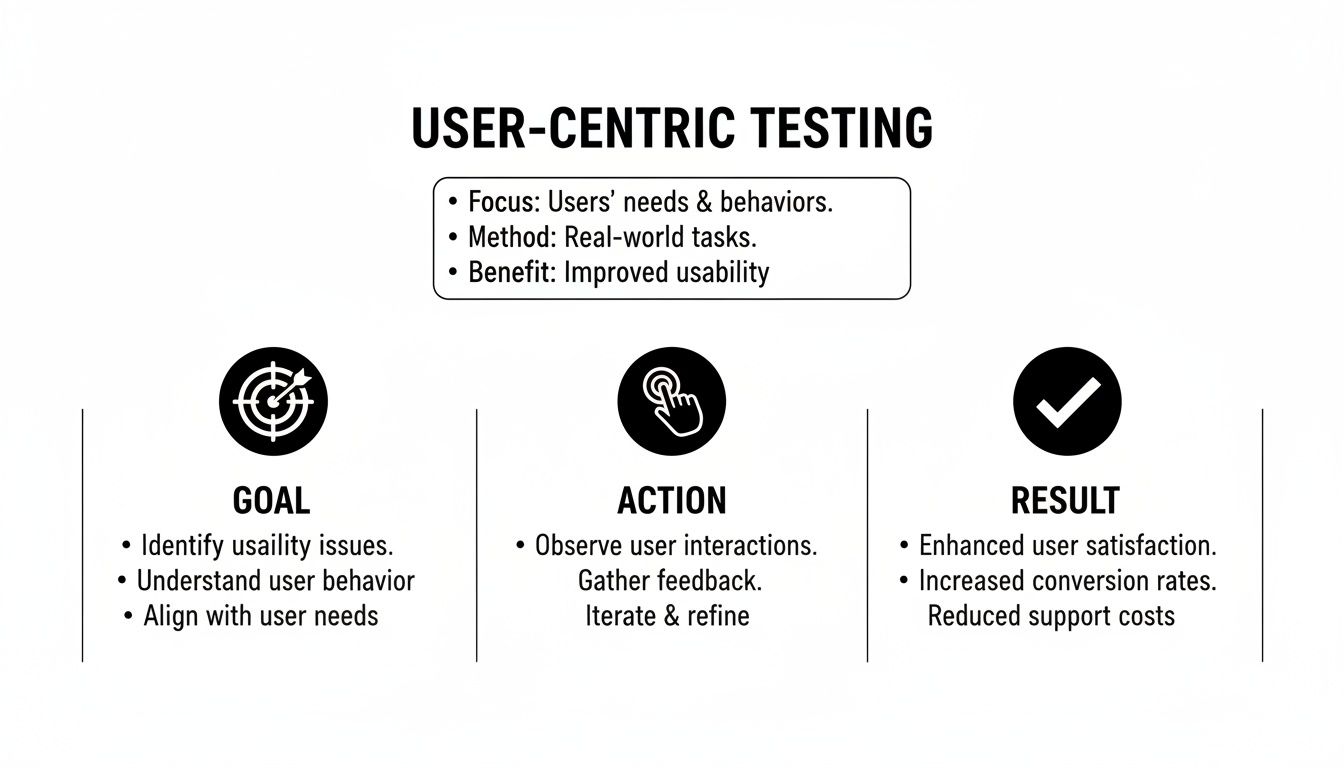
As you can see, the focus is squarely on whether the user can successfully get from A to B, not on the nitty-gritty of the code that gets them there.
Test Brittleness and Stability
DOM element testing is infamous for its brittleness. These tests are hard-wired to the structure of your UI, targeting specific selectors like IDs, classes, or complex XPaths. The moment a developer refactors the UI—even for a good reason, like improving accessibility or renaming a CSS class—those tests can shatter. You end up with a sea of red, even when the user-facing functionality hasn't changed one bit.
On the other hand, user flow testing is built for resilience. A test that checks the login process doesn't care if the button is button#login or <button data-testid="auth-submit">. So long as a user can find that button, click it, and successfully log in, the test passes. This approach disconnects the test from the implementation details, making it far more stable against routine code changes.
The core difference is focus. DOM tests verify how the UI is built, creating a fragile link to the code. Flow tests verify what the user can achieve, creating a durable link to the business outcome.
Maintenance Overhead
The fragility of DOM tests creates a direct and painful consequence: a mountain of maintenance work. Teams often get stuck in a frustrating loop where they spend a huge chunk of their time just fixing tests broken by everyday development. This "test tax" grinds productivity to a halt and, worse, can make your team lose faith in the test suite entirely.
User flow testing slashes this overhead. Because the tests are less fragile, they don't break nearly as often, meaning they don't need constant attention. This frees up your engineers to do what they do best: build new features and expand test coverage to other important user journeys. It’s a crucial shift from reactive maintenance to proactive creation.
Clarity of Failure Signals
When a test fails, the error message needs to be a clear, actionable signal, not a cryptic puzzle.
DOM Element Failure: You’ll typically see an error like:
"Error: Selector 'div.checkout > button#submit-order' not found."Okay, so the code broke. But what does that actually mean for the user? The real impact is buried.User Flow Failure: Here, the failure is much more telling:
"Test failed at step 'Confirm Order'."That message is a five-alarm fire. It immediately tells the team that a critical business process—the checkout—is broken and customers can't pay you.
This difference is massive. One tells you about an implementation detail; the other warns you about a business-critical failure. It makes prioritising bug fixes a whole lot simpler.
Alignment with Business Goals
At the end of the day, software is built to solve problems for users and hit business targets.
DOM element testing often feels completely detached from these goals. You could have a suite with 1,000 passing DOM tests, but that gives you very little confidence that a user can actually sign up, buy a product, or do anything meaningful. It confirms the Lego bricks are there, but not that they’ve been assembled into something that works.
User flow testing, by its very design, is tied directly to business value. Each test validates a specific, valuable user journey. When these tests pass, you have solid evidence that your app is delivering on its promises. That gives you a much higher degree of real-world confidence that your product is actually working.
To bring it all together, let’s look at a more structured comparison.
User Flow Testing vs DOM Element Testing: A Detailed Comparison
This table breaks down the fundamental differences between the two testing approaches across key aspects relevant to modern development teams.
| Criterion | Testing DOM Elements | Testing User Flows |
|---|---|---|
| Primary Focus | The structural implementation of the UI (HTML/CSS). | The user's ability to complete a goal-oriented task. |
| Brittleness | High. Tightly coupled to selectors; breaks on UI refactoring. | Low. Decoupled from implementation; resilient to UI changes. |
| Maintenance | High. Requires constant updates to keep pace with code changes. | Low. Tests are stable, freeing up developer time. |
| Failure Signal | Technical and ambiguous (e.g., "selector not found"). | Clear and business-focused (e.g., "checkout failed"). |
| Business Alignment | Low. Provides little confidence in end-to-end functionality. | High. Directly validates critical business processes. |
| Confidence Level | Confirms code structure, not user experience. | Confirms the application delivers value to users. |
This side-by-side view makes the trade-offs crystal clear. While DOM testing has its place for granular checks, it's the user-flow approach that truly answers the most important question: "Does our product actually work for our users?"
When to Choose Each Testing Approach
Deciding between user flow testing and DOM element testing isn't about crowning a single winner. It's about building a smarter, more effective testing suite where each method has its place. The goal is to shift from a rigid, all-or-nothing mindset to a blended strategy that uses the right tool for the right job, giving you maximum confidence with minimum upkeep.
This pragmatic approach lets your team champion a user-flow-first mentality for checking the overall health of your application, while still using the precision of DOM testing when it genuinely adds value. Knowing the specific scenarios where each one shines is the secret to building this kind of balanced and resilient strategy.
When DOM Element Testing Is Still The Right Choice
Despite its reputation for being brittle in end-to-end tests, DOM element testing is still incredibly valuable for specific, isolated tasks. Its granular control is a real strength when you apply it surgically, rather than as a blanket approach for everything. Think of it as using a magnifying glass to inspect one critical component in detail.
Here are the main situations where focusing on the DOM makes perfect sense:
- Validating Complex UI Components: Got a highly interactive, self-contained component like a custom date picker, a rich text editor, or a dynamic data grid? DOM testing is perfect here. You can verify intricate states—like ensuring certain dates are disabled or that specific toolbar buttons appear—without having to run through a full user journey.
- Visual Regression Testing: When pixel-perfect rendering is a must, DOM-level checks are non-negotiable. Visual regression tools work by comparing snapshots of UI components. These tests need to be tightly coupled to the DOM to catch unintended visual changes, like a button shifting by a few pixels or a font style changing unexpectedly.
- Unit Testing Frontend Components: In modern frameworks like React or Vue, component tests often boil down to verifying that a component renders the correct DOM structure based on its props and state. This is a low-level check that ensures the component behaves as designed in isolation.
The key takeaway is that DOM element tests excel when the implementation itself is what you need to validate. When the "how" is just as important as the "what," this granular approach gives you the precision you need.
Why User Flow Testing Is Superior For Most Scenarios
For the vast majority of your tests, especially those that touch multiple parts of your application, user flow testing gives you far more meaningful results. It directly answers the most important question you can ask: "Can our users actually get things done?"
This approach should be your go-to for any test that mimics a multi-step user action.
Core Application Workflows These are the mission-critical paths that deliver value to your users. If these break, your business feels it immediately.
- User Registration and Login: Can a new user sign up, verify their email, and log in without a hitch?
- E-commerce Checkout Process: Can a customer add an item to their cart, enter shipping details, pop in a discount code, and successfully complete their purchase?
- Core Feature Usage: Can a user create a new project, upload a file, and share it with a teammate?
Trying to test any of these with a DOM-based approach would be incredibly fragile. A minor tweak to a class name on the payment page could break your entire test suite, even if the user can still buy the product. A flow test, on the other hand, only cares about the successful outcome, making it robust and aligned with what your business actually cares about.
This user-centric mindset is the bedrock of a modern, resilient testing strategy. By prioritising the validation of complete journeys, you build a safety net that catches real problems—the kind that frustrate users and hurt your bottom line. It shifts your team’s focus from maintaining brittle tests to confidently shipping features that just work. The comparison between testing user flows vs testing DOM elements becomes crystal clear: one verifies code, the other validates value.
How to Adopt a More Resilient Testing Strategy
Moving away from a fragile, selector-based test suite toward a more robust, user-centric one can feel like a huge undertaking. But here’s the good news: you don't need to tear everything down and start from scratch. The most successful transitions I've seen are gradual and strategic, delivering value right away by focusing on what actually matters to your users.
Think of it as an evolution, not a revolution. You can build a strong foundation of reliability by systematically identifying your application's most critical user journeys and writing new, solid tests for them. As this new suite grows, you can start to confidently phase out the old, brittle DOM-based tests that create so much maintenance headaches.
Step 1: Identify Your Most Critical User Journeys
Before you write a single line of new test code, you need to pinpoint which user flows are absolutely essential to your business. A good test suite should always mirror business priorities, so you want to start with the journeys where a failure would cause the biggest impact.
Begin by mapping out the core paths through your application. Ask yourself: what actions directly generate value or are fundamental to the user experience?
- E-commerce: The entire checkout process is a no-brainer—from adding an item to the cart all the way through to seeing that order confirmation.
- SaaS Product: Think about user registration, the initial onboarding sequence, and the main reason people use your product (like creating a report or uploading a file).
- Content Platform: User login and the flow for submitting or publishing content are almost always critical.
These high-value paths are your first targets. By zeroing in on them, you guarantee that your initial efforts give you the biggest return on investment in terms of confidence and stability.
Step 2: Write New User Flow Tests for Key Paths
Once you have your critical journeys mapped out, it's time to write new tests using a user-flow mindset. This means you'll be describing the user's actions in plain language, not trying to hunt down specific DOM selectors. The real goal here is to verify the outcome, not the implementation.
Let's take a simple login flow as an example.
- The Old DOM-Based Way:
- Find element with ID
#username-inputand type "testuser". - Find element with ID
#password-inputand type "password123". - Find element with
[data-testid="login-button"]and click it. - Assert that the URL is now
/dashboard.
- Find element with ID
This kind of test is incredibly brittle. If a developer changes the ID of the username input field, the whole test breaks, even if the login functionality itself is working perfectly.
- The New User-Flow Approach:
- Go to the login page.
- Type "testuser" into the username field.
- Put "password123" into the password field.
- Click the "Log In" button.
- Check that the user lands on the dashboard page.
This second approach is far more resilient. Modern testing tools can find elements based on their visible text or accessibility roles, which means the test will keep passing even if the underlying HTML attributes change. This shift is at the heart of the testing user flows vs testing DOM elements debate; it's about prioritising user success over the specifics of your code structure.
Step 3: Gradually Refactor or Retire Old Tests
After your new, resilient flow tests are running reliably in your CI/CD pipeline, you'll start to feel a new level of confidence in your application's core paths. This is the point where you can begin to chip away at your old, high-maintenance test suite.
Don't try to refactor everything at once. A much better approach is a "two-in, one-out" policy. For every new user flow test that gives you solid coverage for a feature, go find and retire the brittle DOM-based tests that were covering tiny pieces of that same feature.
This gradual retirement strategy has a few major benefits:
- It Cuts Down on Redundancy: You get rid of overlapping tests that check the same thing in different, less effective ways.
- It Lowers Your Maintenance Load: Every DOM test you retire is one less test that can break because of a minor UI tweak.
- It Makes Failure Signals Clearer: Your test suite becomes less noisy. When a test does fail, you can be more certain it's pointing to a genuine, user-impacting problem.
By following this strategic migration, you can shift your testing culture from one of constant, reactive maintenance to one of proactive confidence. You’ll be ensuring your application actually works for the people who matter most—your users.
Stop wasting time fixing brittle tests that break with every minor code change. With e2eAgent.io, you can describe your most critical user flows in plain English, and our AI agent will handle the rest—running the steps in a real browser and verifying the outcomes. Build a resilient testing strategy that aligns with your business goals, not your CSS selectors. Discover a smarter way to test at https://e2eagent.io.