At its heart, functional testing is a straightforward quality check to make sure a piece of software does what it’s supposed to. It’s all about answering one simple question: “Does this feature actually work?”
Think of it like getting a new car. You expect the headlights to switch on, the wipers to clean the windscreen, and the radio to tune into a station. You’re testing its core functions.
Understanding the Core Purpose of Functional Testing
Functional testing dives into the specific actions and capabilities of your software. It’s a form of black-box testing, which is just a fancy way of saying the tester doesn’t need to see or understand the code inside. All that matters is what the user experiences—the inputs and the resulting outputs.
Let's say you're testing an e-commerce site. A functional test would confirm that when a customer adds a product to their cart, clicks ‘checkout,’ and types in their card details, the purchase actually goes through. The test doesn't care how the payment is processed behind the scenes, only that the function itself—making a purchase—works perfectly.
This isn't just a technical exercise; it's critical for business.
- It builds user trust. When an app works reliably, people learn to depend on it and the company that made it.
- It protects your brand. A glitchy application is a fast track to bad reviews and a damaged reputation.
- It secures revenue. If you’re selling something, a broken payment gateway isn't a bug—it's a direct loss of income.
In a world where users can uninstall an app in seconds, functional testing is your first line of defence. It makes sure the product you ship meets the most basic user expectations and does its job without causing frustration.
To help clarify this concept, here's a quick summary.
Functional Testing at a Glance
| Aspect | Description |
|---|---|
| Core Purpose | To verify that the software performs its intended functions correctly. |
| Focus | User-facing actions and outcomes (what the user sees and does). |
| Key Question | "Does the feature do what it's supposed to do?" |
| Everyday Example | Checking that the "login" button on a website successfully logs a user in with the correct credentials. |
This table neatly sums up why functional testing is the bedrock of quality assurance.
The Business Value in a Growing Market
The need for solid functional testing is more than just theory; you can see it in the market data, especially in Australia's booming app economy. The number of apps available to users exploded from 130 million in 2016 to 1.1 billion in 2023. That’s a ridiculously crowded marketplace.
With so much competition, a flawless user experience is no longer a "nice to have"—it's a requirement for survival. This is why the Australian software testing services market is projected to grow by USD 1.7 billion between 2024 and 2029, with an impressive compound annual growth rate (CAGR) of 12.3%. A massive driver of this growth is the need for rigorous functional testing to ensure apps work exactly as advertised. You can learn more about the ANZ software testing market trends to see the full picture.
By checking each feature against its requirements, functional testing guarantees the final product meets both business goals and user expectations. It’s the foundation of a high-quality development process, stopping expensive and embarrassing defects before they ever reach your customers.
Diving Into the Main Types of Functional Testing
Let's use an analogy. Think about building a house. You wouldn't wait until the final brick is laid to check if the walls are straight. You’d inspect every component as it's built, from the foundation up. Functional testing in software development is a lot like that—it uses different types of tests at various stages to build quality in from the very start.
These different layers of testing aren't just a checklist; they build on each other to form a robust quality assurance safety net. Each type has a very specific job, designed to catch issues at the earliest possible moment when they are cheapest and easiest to fix.
Let's break down these essential layers.
Unit Testing: Checking the Individual Bricks
The most granular level is unit testing. This is where developers examine the smallest, most isolated pieces of code—the individual "bricks" of your application. The whole point is to prove that each tiny component does its one job correctly before it gets mixed in with everything else.
For example, a developer might write a quick unit test to confirm a function that calculates a sales discount returns exactly 10% when given the right input. These tests are fast to run, and you’ll have hundreds or even thousands of them. They are your first line of defence, catching bugs deep in the code long before they can cause bigger problems elsewhere.
Integration Testing: Making Sure the Bricks Form a Solid Wall
Once we know the individual bricks are solid, it's time for integration testing. This phase is all about checking how different units or modules work together. It’s like making sure the bricks and mortar combine to create a sturdy, seamless wall without any gaps.
A classic integration test might verify that when a user adds an item to their shopping cart (one unit), the inventory system (a separate unit) correctly updates its stock count. The main goal here is to sniff out problems in the handoffs and data flow between connected components.
By testing how different parts of the software communicate, integration testing uncovers faults in interfaces and data exchange that unit tests simply cannot see in isolation. It ensures the combined system is greater than the sum of its parts.
This structured approach to testing isn't just a technical exercise; it directly supports crucial business goals.
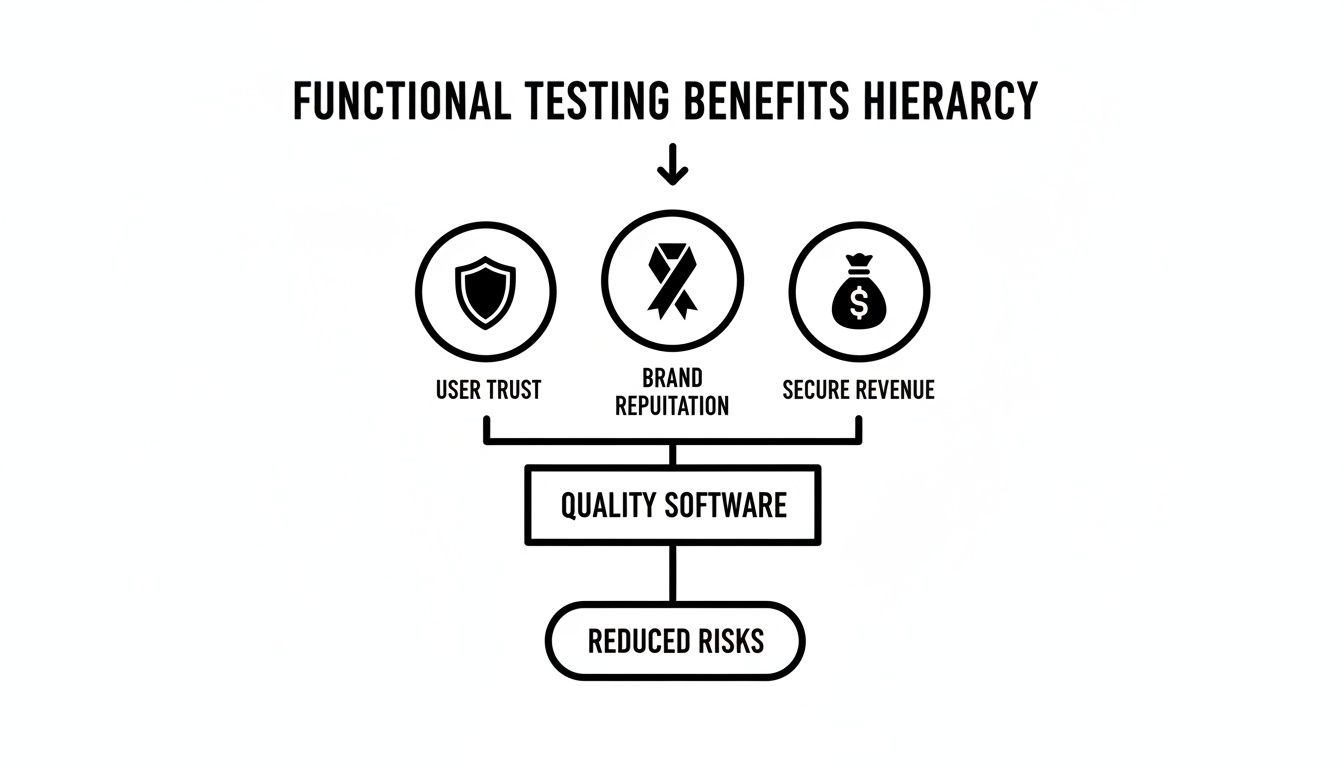
As you can see, delivering quality software through rigorous testing is the bedrock for reducing risks. This, in turn, protects revenue, reinforces brand reputation, and ultimately earns user trust.
System Testing: The Full House Inspection
With all the walls built and connected, we move on to system testing. This type of functional test evaluates the complete, fully integrated software product. We're no longer checking individual bricks or walls; we're inspecting the entire house to ensure it functions as a whole and meets all the requirements laid out in the blueprint.
Here, testers run through complete user journeys, from start to finish. Think of scenarios like a customer logging in, searching for a product, adding it to the cart, and successfully checking out. This holistic view validates that all the different parts cooperate smoothly as one cohesive system.
User Acceptance Testing: The Final Walkthrough with the Homeowner
The last stop is User Acceptance Testing (UAT). This is the final phase, just like a homeowner doing a final walkthrough of their new house before accepting the keys. In UAT, real end-users or clients test the software to confirm it truly meets their needs and can handle their day-to-day tasks.
UAT isn't really about finding low-level bugs. It’s about answering one critical question: "Does this software actually solve the problem we built it to solve?" It’s the ultimate green light, providing the business confidence that the product is fit for purpose and ready to go live.
Functional Versus Non-Functional Testing
To really get a grip on what functional testing is, it helps to see it side-by-side with its counterpart: non-functional testing. They're both aimed at shipping a great product, but they ask completely different questions about your software.
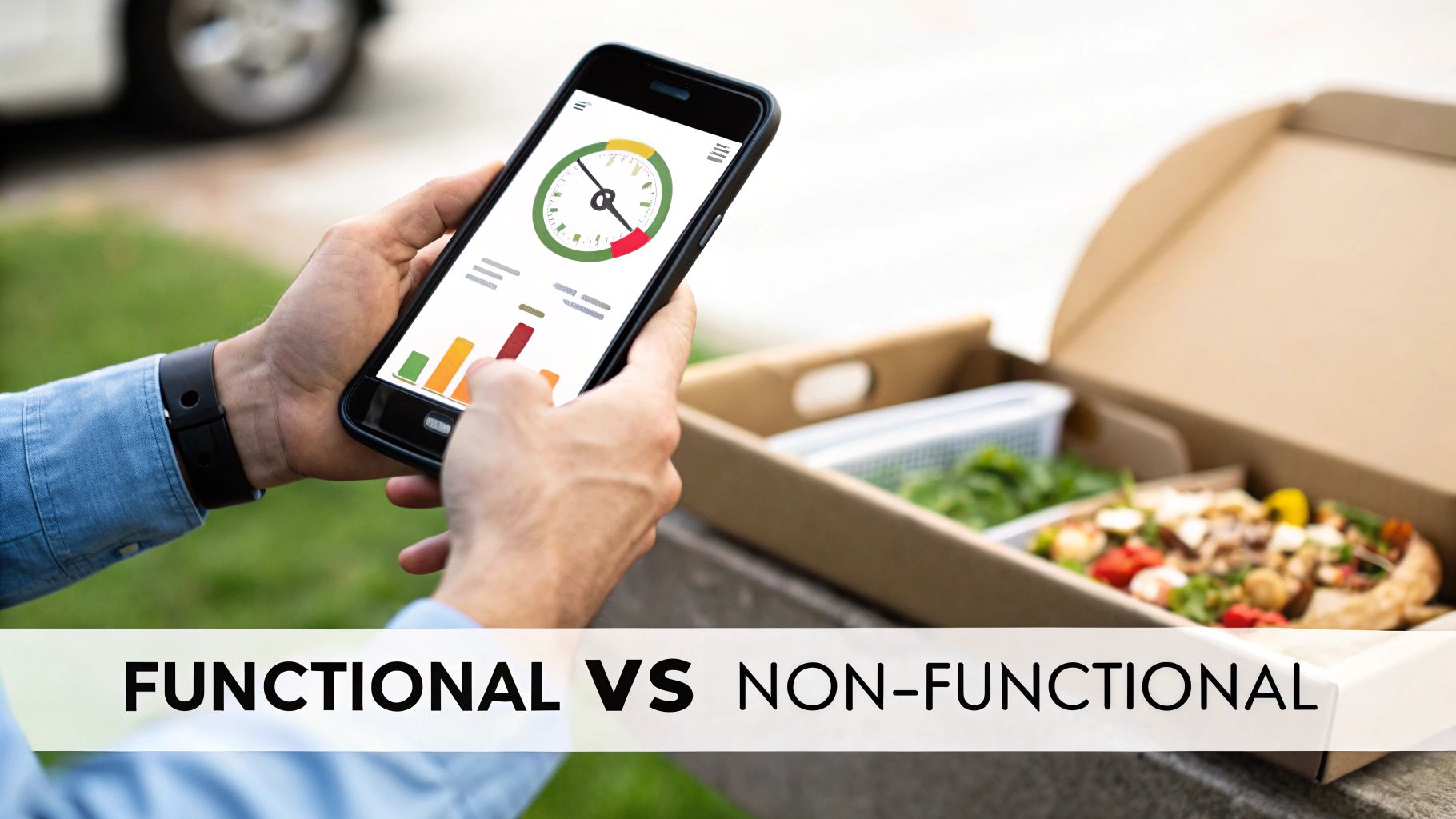
Think of it like testing a food delivery app. Functional testing is all about the what. It’s there to confirm the core mechanics are solid. Can a user search for a restaurant? Can they add a pizza to their cart? Does the checkout process actually work? It verifies that the features you promised actually function.
Non-functional testing, on the other hand, is all about the how well. It doesn't care if you can place an order; it checks how smoothly and reliably the app behaves under pressure.
Core Differences in Focus
The distinction is critical. Functional testing validates the business requirements, while non-functional testing validates the user experience. You could have an app where every single button works perfectly, but if it takes 30 seconds to load a menu, it’s a non-functional failure.
This focus on core functionality is a big reason it's been a cornerstone of Australia's software quality assurance scene for years. Back in 2015, functional testing already made up 23.2% of the global test automation market, which was set to grow at a staggering 23% each year. This boom is largely thanks to the explosion in mobile apps—with Australians now interacting with over 1.1 billion available apps in 2023, making functional validation more vital than ever. You can discover more insights about the growth of test automation to see the full picture.
A perfectly functional application can still fail if it's slow, insecure, or a pain to use. Both testing types are essential for creating software that not only works but also delights users.
To make this crystal clear, let's break down the exact questions each type of testing tries to answer. The table below offers a direct comparison, showing how each approach tackles a different facet of software quality.
Functional vs Non-Functional Testing Key Differences
The simplest way to see the difference is to put their core attributes head-to-head.
| Attribute | Functional Testing | Non-Functional Testing |
|---|---|---|
| Purpose | To verify that the software's features work according to the specified requirements. | To verify the performance, reliability, and usability of the software under expected conditions. |
| Focus Area | Business logic, user interface, database connectivity, and API functionality. | Performance, security, scalability, load capacity, and overall user experience. |
| Example Question | "Does the login button work when I enter the correct username and password?" | "How quickly does the system respond when 1,000 users try to log in at the same time?" |
Ultimately, functional testing ensures your software does the right things, while non-functional testing ensures it does things right. You absolutely need both to build a product that users will trust and enjoy using.
A Practical Step-by-Step Functional Testing Process
So, how do you actually do functional testing? It’s not about randomly clicking around and hoping to find bugs. Great functional testing is a deliberate, structured process. When you follow a clear framework, you can turn vague project requirements into solid, repeatable tests that prove your software works the way it’s supposed to.
Think of it like following a recipe. You wouldn't just throw ingredients in a bowl and hope a cake comes out. You follow a step-by-step guide to get a predictable, tasty result. The same discipline applies here, ensuring every feature is properly checked before it gets anywhere near your users.

Step 1: Understand the Requirements
First things first: you can't test what you don't understand. Before a single test is written, you need to dive deep into the application's requirements, user stories, and specifications. The goal is to get inside the user's head and grasp the expected behaviour of every feature.
What does "working" actually mean? For a simple login form, the requirements might be:
- A registered user can log in with a valid email and password.
- An error message shows up if they use the wrong credentials.
- The "Forgot Password" link actually takes them to the password reset page.
Without this crystal-clear understanding, your testing efforts will be aimless and, frankly, ineffective.
Step 2: Create a Test Plan
Once you know what you’re testing, it’s time to figure out how. This is where a test plan comes in. Don't overthink it—this isn't a 50-page academic paper. It's a straightforward document that outlines your testing strategy.
Your plan is your roadmap. It should define the scope (what's in, what's out), your objectives, the resources you'll need, and a rough schedule. It identifies which features get tested, who's doing the testing, the environments they'll use, and the criteria for a pass or fail. A good plan gets everyone on the same page and stops important things from falling through the cracks.
Step 3: Write Clear Test Cases
Now we get to the fun part: writing the individual recipes, or test cases. A test case is just a specific set of steps to check a single piece of functionality. Each one needs to be super clear and easy to follow, detailing the actions, the data to use, and exactly what you expect to happen.
Let's go back to our login form. A test case for a successful login might look something like this:
- Open the application's login page.
- Enter a valid, registered email address in the email field.
- Enter the correct password in the password field.
- Click the "Login" button.
- Expected Result: The user is successfully redirected to their account dashboard.
Writing good test cases is the heart of functional testing. They turn abstract ideas into concrete actions, making your testing systematic and thorough.
Step 4: Execute the Tests
With your test cases in hand, it’s go-time. This is where the tester methodically works through each case, comparing what actually happens in the application with the expected outcome. They carefully note down every pass and every fail.
This part can be done by a real person clicking through the interface (manual testing) or automated with specialised tools. Either way, the key is to be meticulous and document everything.
Step 5: Report and Track Defects
So, what happens when a test fails? When the actual result doesn't match the expected one, you've found a bug. The final step is to report this defect clearly and with plenty of detail.
A solid bug report should include a summary of the problem, the exact steps to reproduce it, screenshots or videos, and details about the test environment (like the browser or device used). This report is then logged in a tracking system, assigned to a developer to be fixed, and eventually re-tested. This "test, report, fix, repeat" loop is what truly drives software quality forward and leads to a reliable product.
Choosing the Right Functional Testing Tools
Trying to pick the right testing tool can feel like navigating a maze. There are countless options, but they really boil down to two main approaches. Getting your head around the difference is the first step to making a smart choice for your team.
On one side, you have the traditional, script-based automation tools. These are the workhorses of the industry—powerful frameworks that let engineers write code to mimic user behaviour and check if the application responds as it should.
Tools like Cypress and Playwright are heavy hitters here. They give you granular control and slot neatly into your development workflow. But they share a common, frustrating weakness: they’re brittle. A tiny change to the UI can shatter your test scripts, leaving you with a pile of broken tests to fix. This constant maintenance is a real headache.
The Shift to Smarter Testing
It’s this maintenance nightmare that has paved the way for the second camp: modern, AI-driven testing platforms. The whole point of these tools is to make functional testing less fragile and more accessible, often without needing to write a single line of code.
This shift couldn't be more timely, especially with Australia’s functional testing market set to expand. As the number of available apps climbed to a massive 1.1 billion by 2023, keeping users happy is non-negotiable. For the 46% of Australian businesses that identify as "innovation-active," brittle tools like Playwright and Cypress just create a maintenance bottleneck that slows them down. You can get a broader view by looking at the global trends in the functional testing market.
The big idea with AI-powered testing is to separate what you want to test from the technical nitty-gritty of how it gets tested. You stop coding every single click and instead just describe your goal in plain English.
A perfect example of this new wave is a platform like https://e2eagent.io. A tester can simply write out a command like, "Sign up for a new account with a valid email and verify the confirmation message appears." From there, an AI agent takes over, interpreting the instruction, navigating the app in a real browser, and reporting back on whether it worked.
This fundamentally changes the game. It slashes the time you’d normally spend writing and, more importantly, fixing flaky test scripts. By letting teams focus on the user’s goal rather than the implementation details, you can build a more resilient test suite in a fraction of the time. This frees up your best people to solve genuinely tricky problems instead of being stuck in a never-ending cycle of test maintenance.
Got Questions About Functional Testing? We’ve Got Answers.
As you start wrapping your head around functional testing, a few practical questions always pop up. Getting these sorted is key to actually using these ideas on your own projects and building a smarter quality assurance strategy.
Let's tackle some of the most common questions people ask when they're getting their hands dirty with functional tests.
What’s the Difference Between Functional and Regression Testing?
This is a classic point of confusion, but it becomes crystal clear when you focus on their goals.
Functional testing is all about validation. Its whole purpose is to check that a new feature does what it's supposed to do, according to the plan. It's the first check-up, answering the question, "Does this brand-new login button actually get the user logged in?"
Regression testing, on the other hand, is all about preservation. It’s a safety net you deploy after making a change. Its job is to make sure the new code didn't accidentally mess up something that was already working perfectly. It answers the question, "Okay, the new login button works, but did it somehow break the user profile page?"
Think of it like a home renovation. Functional testing is checking if the new light switch you just installed turns on the light. Regression testing is making sure that wiring the new switch didn't somehow cause the kitchen tap to stop working.
Nailing this distinction is fundamental. It’s what stops new updates from reintroducing old problems.
Can Functional Testing Be Fully Automated?
The dream of 100% automation is tempting, but in reality, it's neither practical nor even the best goal for functional testing.
A huge chunk of functional tests are brilliant candidates for automation. Think of the repetitive, data-heavy tasks like checking a hundred different login combinations. Automating these saves a massive amount of time, slashes the risk of human error, and gives you incredible test coverage. This is where automation is a true game-changer.
However, some things just need a human touch.
- Exploratory Testing: This is where a tester just… explores. They use their experience and intuition to poke around the application, finding weird bugs that a strict script would simply never catch.
- Usability Testing: You can't automate empathy. Figuring out if an app feels intuitive and easy to use requires real human judgment.
- Complex Visual Checks: While some tools are getting good at spotting visual bugs, a human eye is often far better at noticing when a layout is technically correct but just looks wrong.
The best strategy is a balanced one. You should automate what makes sense—especially the repetitive regression tests—to free up your human testers to focus on the high-value stuff that requires creativity and critical thought.
How Do You Decide What to Test First?
You'll never have enough time or people to test everything with the same level of detail. That’s where prioritisation comes in, and the best way to do it is by thinking about risk. You have to focus your energy where a failure would cause the most pain.
To figure out your priorities, just ask two simple questions:
- What’s the most critical functionality? Pinpoint the absolute core features of your app. For an e-commerce site, this is the product search, the "add to cart" button, and the entire checkout flow. No question.
- What’s the business impact if it breaks? Think about which bugs would do the most damage. A broken "Contact Us" link is annoying. A bug that stops customers from paying you money? That’s a catastrophe that costs you revenue and destroys user trust.
By starting with these high-risk, high-impact areas, you make sure your most important user journeys are solid. It’s a strategic approach that gets the most value out of your testing efforts, protecting both your users and your business from the worst-case scenarios.
Stop wasting time maintaining brittle Playwright and Cypress tests. With e2eAgent.io, you can just describe your test scenario in plain English, and our AI agent will run the steps in a real browser and verify the results for you. Find out more at e2eAgent.io.